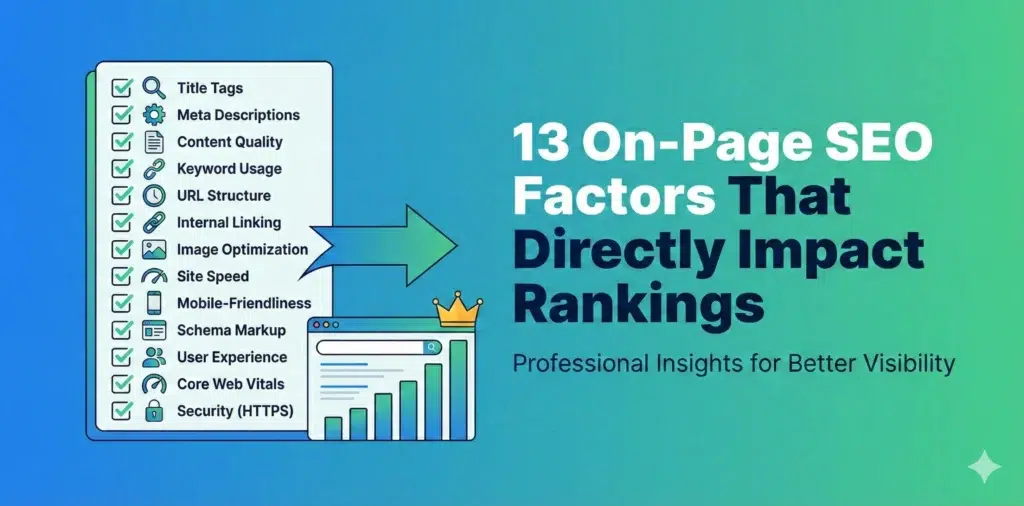
13 On-Page SEO Factors That Directly Impact Rankings
If your website isn’t ranking on Google, there’s a good chance your on-page SEO needs work. I’m going to walk you through the 13 most important on-page factors that actually move the needle in 2025 and beyond. Let’s skip the fluff and get straight to what works. How to Improve Your Ranking by Considering the On-Page SEO Factors On-page SEO is everything you can control directly on your website to help it rank better. Unlike off-page SEO (which is mostly about backlinks and external signals), on-page optimization is completely within your control. The problem? Most people either overomplicate it or focus on outdated tactics that don’t matter anymore. Here’s what actually matters right now. 1. Keyword Research and Optimization You can’t rank for keywords you haven’t targeted. Sounds obvious, but alot of websites fail here. Start with proper keyword research. Use tools like Google Keyword Planner, Ahrefs, or SEMrush to find keywords that: Don’t just go after high-volume keywords. A keyword with 50,000 monthly searches and massive competition is useless if you can’t rank for it. Sometimes a keyword with 500 monthly searches and low competition is way more valuable. Keyword placement matters: LSI keywords (Latent Semantic Indexing) are related terms that help Google understand your content better. If your writing about “coffee makers,” LSI keywords might include “brewing,” “espresso,” “French press,” “automatic drip,” etc. Include these naturally. Don’t force them. 2. Title Tag Optimization Your title tag is one of the most important on-page SEO factors. It’s what shows up in search results and tells both users and Google what your page is about. Title tag best practices: Good example: “How to Make Cold Brew Coffee at Home | Complete Guide” Bad example: “Coffee | How to Make It | Cold Brew Coffee Tutorial | Best Coffee Brewing Methods” The second one is keyword-stuffed, too long, and unclear. Don’t do this: Your title tag should match your H1 heading closely, but they don’t have to be identical. The title tag is for search engines and social shares, while the H1 is for users on your page. 3. Meta Descriptions Meta descriptions don’t directly impact rankings, but they absolutely impact click-through rates – and click-through rate does affect rankings. Think of your meta description as ad copy. You’ve got about 155-160 characters to convince someone to click your result instead of the nine others on the page. Meta description guidelines: Example: “Learn how to make cold brew coffee at home with our step-by-step guide. Includes brewing ratios, timing tips, and common mistakes to avoid.” That’s clear, includes the keyword, and tells you exactly what you’ll get. Common mistakes: Each page needs its own unique meta description. 4. Header Tags (H1, H2, H3, etc.) Header tags organize your content and help Google understand the structure and hierarchy of your page. The H1 tag is your main page title. You should only have one H1 per page, and it should include your primary keyword. H2 tags are your main section headers. These should cover the major topics on your page. H3 tags are sub-sections under your H2s. H4, H5, and H6 tags create even more detailed hierarchies, but most pages don’t need to go that deep. Here’s a proper structure: This structure makes sense both to humans reading your content and to Google trying to understand it. Header tag tips: Headers also improve readability. Nobody wants to read a 2000-word wall of text with no breaks. 5. URL Structure Clean, descriptive URLs rank better than messy ones filled with parameters and random characters. Good URL: yoursite.com/cold-brew-coffee-guide Bad URL: yoursite.com/p=12345?cat=beverages&ref=homepage Your URL should: For blog posts, include the post title or a shortened version. For product pages, include the product name. For category pages, include the category. URL structure for sites with multiple levels: Example: yoursite.com/recipes/coffee/cold-brew-guide Keep the structure logical and not too deep. Try to keep important pages within 3 clicks of your homepage. Important: Once a URL is published and getting traffic, don’t change it unless absolutely necessary. If you do change it, set up a 301 redirect from the old URL to the new one so you don’t lose rankings or create broken links. Read More: The Ultimate Google My Business Profile Optimization Checklist 6. Image Optimization Images make your content better, but they can also slow down your site if not optimized properly. They’re also an opportunity for additional rankings through image search. Image SEO basics: Alt text example: Good: “Cold brew coffee steeping in a glass container with coffee grounds” Bad: “coffee cold brew make cold brew coffee at home best cold brew” Alt text serves two purposes: If an image is purely decorative and adds no information, you can leave the alt text empty (alt=””) so screen readers skip it. Image file sizes: Use tools like TinyPNG, ImageOptim, or built-in compression in your CMS to reduce file sizes. 7. Internal Linking Internal links connect your pages together and help Google discover and understand your content. They also keep visitors on your site longer. Internal linking strategy: Anchor text matters: Good: “Learn more about choosing the best coffee beans for cold brew” Bad: “Click here to read more about this topic” “Click here” tells Google nothing about what the linked page is about. Descriptive anchor text passes relevance signals. Link structure tips: Internal linking is one of the most underutilized on-page SEO tactics. Most sites do it poorly or not at all. 8. External Links to Authoritative Sources Linking out to high-quality, relevant sources helps your credibility and can actually improve your rankings. Google wants to see that your content exists within the broader context of the web. Citing authoritative sources shows you’ve done your research. When to link externally: What makes a good external link: What to avoid: You don’t need alot of external links – a few high-quality ones per article is plenty. 9. Mobile-Friendliness Google uses mobile-first indexing, which means it looks at the mobile version of your site first when determining rankings. If