Internal vs External Links Explained
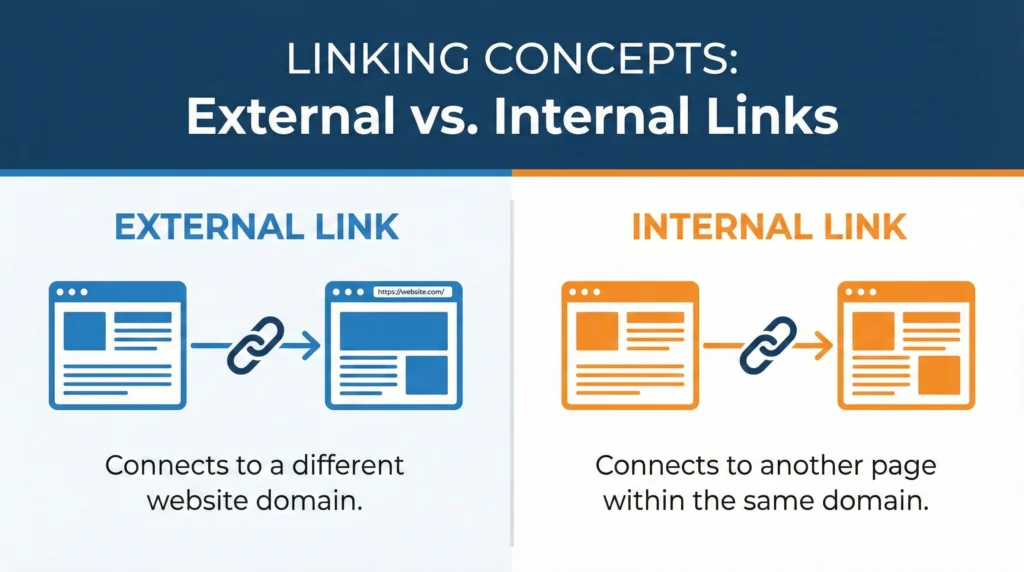
Links are the backbone of the internet. Without them, the web wouldn’t exist as we know it. But not all links are created equal, and understanding the difference between internal and external links is critical for your SEO success. I’m going to break down everything you need to know about both types of links, why they matter, and how to use them effectively. No fluff, just practical advice you can actually use. What Is an Internal Link? An internal link is a link from one page on your website to another page on the same website. That’s it. Pretty simple. When you link from your homepage to your “About Us” page, that’s an internal link. When you link from a blog post to another blog post on your site, that’s an internal link too. Examples of internal links: Internal links stay within your domain. They never send visitors to another website. Here’s what an internal link looks like in HTML: html Or with a full URL: html Both work the same way as long as they point to pages on your own domain. What Is an External Link? An external link (also called an outbound link) is a link from your website to a completely different website. Your sending visitors away from your site to someone else’s site. When you cite a statistic from a research study and link to the source, that’s an external link. When you mention a tool you use and link to their website, that’s an external link. Examples of external links: External links leave your domain and take visitors somewhere else. Here’s what an external link looks like: html The key difference? The domain is different from yours. Why Are Internal Links Important for SEO? Internal linking is one of the most underused SEO tactics. Most websites do it poorly or barely do it at all. That’s a huge missed opportunity. Increased User Engagement Internal links keep people on your website longer. When someone finishes reading an article and sees relevant links to other articles they might find interesting, there’s a good chance they’ll click. More page views per session = better engagement metrics = positive signals to Google. Think about Wikipedia. Every article has dozens of internal links to related topics. That’s why people fall down Wikipedia rabbit holes for hours. You want the same thing happening on your site. How internal links improve engagement: If someone lands on your article about “how to make cold brew coffee” and sees a link to “best coffee beans for cold brew,” they’re likely to click if they’re interested in the topic. Enhanced Search Engine Visibility Internal links help distribute “link equity” (also called link juice) throughout your site. When you get backlinks to your homepage, some of that authority can flow to other pages through internal links. How this works: Let’s say your homepage has alot of authority from backlinks. You link from your homepage to your main service pages. Those service pages gain some authority. Then you link from those service pages to specific blog posts. Those posts gain authority too. Without internal links, that authority stays stuck on your homepage. Internal links help pages rank better: Your most important pages should have the most internal links pointing to them. That’s a signal to Google that these pages matter. Improved Crawl Efficiency Search engine bots (like Googlebot) discover your pages by following links. If a page has no internal links pointing to it, Google might never find it. Internal links help Google: This is especially important for large websites with hundreds or thousands of pages. Good internal linking ensures every important page is discoverable. Orphan pages are pages with no internal links pointing to them. These pages are basically invisible to Google unless they’re directly linked from your sitemap. Don’t let important pages become orphans. Better Site Architecture Internal links create the structure of your website. They show how different topics and pages relate to each other. A good internal linking structure looks like a pyramid: Each level links up to the level above and down to the level below. This creates a logical hierarchy that both users and search engines can follow. Why Are External Links Important for SEO? Some people are scared to link externally because they think it will hurt their rankings or “give away” their link juice. That’s wrong. External links are actually good for your SEO when used properly. Increased Credibility When you cite reputable sources and link to authoritative websites, you increase your own credibility. Your showing that your claims are backed by research and that your content exists within the broader context of your industry. Think about academic papers – they’re full of citations. That’s not a weakness, it’s a strength. It shows the author did their homework. External links boost credibility by: If you make a claim like “70% of consumers read reviews before making a purchase,” you better link to the source of that statistic. Otherwise, why should anyone believe you? Enhanced Website Authority Google wants to see that your content is part of the larger web ecosystem. Sites that never link out look suspicious – like they’re trying to hoard value or don’t want readers to fact-check them. External links to high-quality sites actually help your SEO: Obviously, link to good sites. Linking to spammy, low-quality sites can hurt you. But linking to authoritative sources like .edu sites, .gov sites, industry leaders, and reputable publications is beneficial. Potential for Increased Website Traffic When you link to other sites, especially if you write something insightful or interesting about their content, they might notice. This can lead to: It’s not guaranteed, but it happens. I’ve gotten backlinks and social shares simply because I linked to someone’s content and they appreciated it. Some people even set up Google Alerts for their brand name or website so they’re notified when someone links to them. Better User Experience External links provide value to your readers by pointing them to