Author name: aftabkhannewemail@gmail.com

DIY Seo, Professional SEO

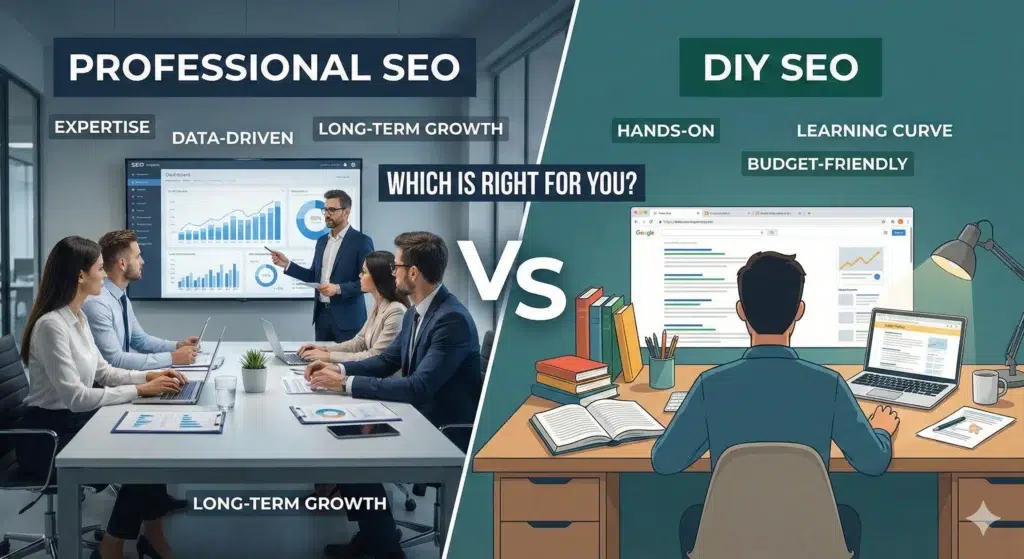
Professional vs DIY SEO: Which is Right for You

I’ll be honest with you—I’ve been in the SEO world long enough to see both sides of this debate play out hundreds of times. And here’s what I’ve learned: there’s no one-size-fits-all answer. But there is a right answer for your specific situation. Let me walk you through everything you need to know to make this decision with confidence. Key Takeaways Before we get into the weeds, here’s what you need to remember: Now, let’s break this down properly. What Should You Consider Before Doing DIY SEO? Before you roll up your sleeves and start optimizing pages yourself, take a step back. I’ve seen too many business owners jump into DIY SEO without asking themselves these critical questions first. 1. Budget Constraints Let’s start with the obvious one—money. If you’re bootstrapping a startup or running a small business where every dollar counts, DIY SEO might seem like the clear winner. And you know what? Sometimes it is. But here’s the catch: “free” isn’t really free. Your time has value. While you’re spending 20 hours a week learning about meta descriptions and backlinks, what’s not getting done in your business? That’s the real cost. 2. Company Size Are you a solopreneur with a simple five-page website? DIY could work beautifully. Running a mid-sized e-commerce site with 500+ product pages? That’s a different story entirely. The complexity scales fast. What starts as “I’ll just optimize a few pages” quickly becomes technical audits, schema markup, and competitive analysis. Size matters here—a lot. Read More: The Ultimate Google Business Profile Optimization Checklist 3. Other Marketing Channels Are Profitable Here’s something most people miss: if you’re already crushing it with paid ads, email marketing, or social media, maybe SEO doesn’t need to be your immediate focus. Or maybe it does, but you shouldn’t be the one doing it. If other channels are bringing in revenue, that’s your sign that your time is better spent there—at least while someone with experience handles your SEO foundation. Benefits of DIY SEO Alright, let’s talk about why DIY SEO can actually be a smart move for some businesses. 1. You Have Control Over Your SEO Campaigns This is huge for people who like to be hands-on. You make every decision. You write every piece of content. You choose every keyword. There’s no back-and-forth with an agency, no waiting for approvals, no miscommunication about your brand voice. When you’re in the driver’s seat, you can pivot immediately when something isn’t working. That kind of agility? It’s valuable. 2. It’s an Opportunity to Learn SEO I genuinely believe every business owner should understand SEO basics. Not because you need to do it yourself forever, but because it helps you make better decisions down the road. When you learn SEO yourself, you’ll never be at the mercy of an agency that might try to snow you with jargon. You’ll know what good work looks like. You’ll ask better questions. You’ll spot red flags before they become disasters. 3. Cost-Savings Yes, I said earlier that “free” isn’t really free. But let’s be real—for some businesses, cash flow is tight enough that “free except for my time” is the only option on the table. If you’re in that position, DIY SEO gives you a way to start building your online presence without writing checks you can’t afford. It’s not ideal, but it’s better than doing nothing. Cons of DIY SEO Now for the part nobody likes to hear—but needs to. 1. It’s Time-Consuming I’m not talking about spending an afternoon here and there. I’m talking about a serious, ongoing commitment. SEO isn’t a “set it and forget it” thing. You need to research keywords. Write content. Build links. Monitor rankings. Stay current with algorithm updates. Fix technical issues. Analyze competitors. The list literally never ends. Most business owners underestimate this by about 10x. They think it’ll take five hours a week. Six months later, they’re spending 20+ hours and still not seeing results. 2. The Lack of Expertise Can Lead to Mistakes Here’s the uncomfortable truth: Google is sophisticated. Really sophisticated. And mistakes in SEO don’t just mean you don’t see results—they can actively hurt your rankings. I’ve seen well-intentioned business owners accidentally create duplicate content issues, build spammy backlinks, over-optimize anchor text, or ignore critical technical problems. Then they spend months trying to undo the damage. You don’t know what you don’t know. And in SEO, that gap can be expensive. Read More: How to Find a Good SEO Consultant 3. Results Are Slower Even if you do everything right, DIY SEO typically takes longer to show results. Why? Because professionals have systems, tools, and experience that speed things up. They’ve already made the mistakes you’re about to make. They know which tactics work in your industry. They have relationships for link building. They can spot opportunities you’ll miss for months. If you need results in six months instead of 18, that matters. What to Consider When Hiring an SEO Expert So you’re thinking about bringing in the pros? Smart. But not all SEO experts are created equal. Here’s what to think about. 1. Budget Flexibility Professional SEO isn’t cheap—and it shouldn’t be. Quality SEO requires skilled people, premium tools, and ongoing effort. You’re typically looking at anywhere from a few thousand to tens of thousands per month, depending on your needs. Can your business afford that investment? More importantly, can you afford it for at least 6-12 months? SEO is a marathon, not a sprint. If you’re only able to commit to three months, you might be better off waiting until you have more runway. 2. Company Size Larger companies almost always benefit from professional SEO. You have more pages, more complexity, more competition, and more at stake. The ROI math works better when you’re operating at scale. That said, even smaller companies can benefit if they’re in competitive niches or ready to grow aggressively. 3. Current SEO Results If your SEO is already a disaster—think penalties, technical nightmares, or years
DIY Seo, Professional SEO

Internal vs External Links Explained

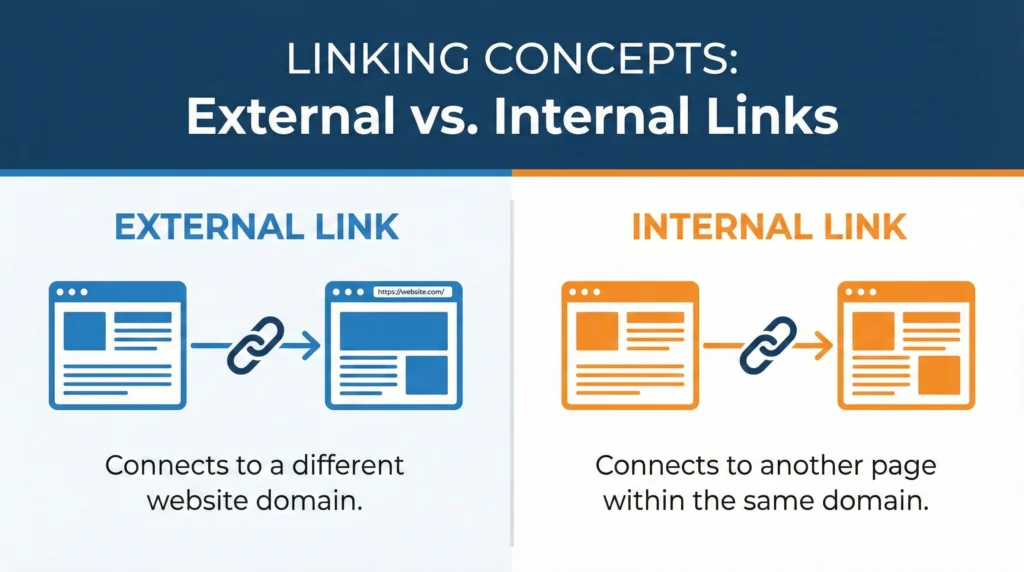
Links are the backbone of the internet. Without them, the web wouldn’t exist as we know it. But not all links are created equal, and understanding the difference between internal and external links is critical for your SEO success. I’m going to break down everything you need to know about both types of links, why they matter, and how to use them effectively. No fluff, just practical advice you can actually use. What Is an Internal Link? An internal link is a link from one page on your website to another page on the same website. That’s it. Pretty simple. When you link from your homepage to your “About Us” page, that’s an internal link. When you link from a blog post to another blog post on your site, that’s an internal link too. Examples of internal links: Internal links stay within your domain. They never send visitors to another website. Here’s what an internal link looks like in HTML: html Or with a full URL: html Both work the same way as long as they point to pages on your own domain. What Is an External Link? An external link (also called an outbound link) is a link from your website to a completely different website. Your sending visitors away from your site to someone else’s site. When you cite a statistic from a research study and link to the source, that’s an external link. When you mention a tool you use and link to their website, that’s an external link. Examples of external links: External links leave your domain and take visitors somewhere else. Here’s what an external link looks like: html The key difference? The domain is different from yours. Why Are Internal Links Important for SEO? Internal linking is one of the most underused SEO tactics. Most websites do it poorly or barely do it at all. That’s a huge missed opportunity. Increased User Engagement Internal links keep people on your website longer. When someone finishes reading an article and sees relevant links to other articles they might find interesting, there’s a good chance they’ll click. More page views per session = better engagement metrics = positive signals to Google. Think about Wikipedia. Every article has dozens of internal links to related topics. That’s why people fall down Wikipedia rabbit holes for hours. You want the same thing happening on your site. How internal links improve engagement: If someone lands on your article about “how to make cold brew coffee” and sees a link to “best coffee beans for cold brew,” they’re likely to click if they’re interested in the topic. Enhanced Search Engine Visibility Internal links help distribute “link equity” (also called link juice) throughout your site. When you get backlinks to your homepage, some of that authority can flow to other pages through internal links. How this works: Let’s say your homepage has alot of authority from backlinks. You link from your homepage to your main service pages. Those service pages gain some authority. Then you link from those service pages to specific blog posts. Those posts gain authority too. Without internal links, that authority stays stuck on your homepage. Internal links help pages rank better: Your most important pages should have the most internal links pointing to them. That’s a signal to Google that these pages matter. Improved Crawl Efficiency Search engine bots (like Googlebot) discover your pages by following links. If a page has no internal links pointing to it, Google might never find it. Internal links help Google: This is especially important for large websites with hundreds or thousands of pages. Good internal linking ensures every important page is discoverable. Orphan pages are pages with no internal links pointing to them. These pages are basically invisible to Google unless they’re directly linked from your sitemap. Don’t let important pages become orphans. Better Site Architecture Internal links create the structure of your website. They show how different topics and pages relate to each other. A good internal linking structure looks like a pyramid: Each level links up to the level above and down to the level below. This creates a logical hierarchy that both users and search engines can follow. Why Are External Links Important for SEO? Some people are scared to link externally because they think it will hurt their rankings or “give away” their link juice. That’s wrong. External links are actually good for your SEO when used properly. Increased Credibility When you cite reputable sources and link to authoritative websites, you increase your own credibility. Your showing that your claims are backed by research and that your content exists within the broader context of your industry. Think about academic papers – they’re full of citations. That’s not a weakness, it’s a strength. It shows the author did their homework. External links boost credibility by: If you make a claim like “70% of consumers read reviews before making a purchase,” you better link to the source of that statistic. Otherwise, why should anyone believe you? Enhanced Website Authority Google wants to see that your content is part of the larger web ecosystem. Sites that never link out look suspicious – like they’re trying to hoard value or don’t want readers to fact-check them. External links to high-quality sites actually help your SEO: Obviously, link to good sites. Linking to spammy, low-quality sites can hurt you. But linking to authoritative sources like .edu sites, .gov sites, industry leaders, and reputable publications is beneficial. Potential for Increased Website Traffic When you link to other sites, especially if you write something insightful or interesting about their content, they might notice. This can lead to: It’s not guaranteed, but it happens. I’ve gotten backlinks and social shares simply because I linked to someone’s content and they appreciated it. Some people even set up Google Alerts for their brand name or website so they’re notified when someone links to them. Better User Experience External links provide value to your readers by pointing them to

On Page SEO Factors That Directly Impact Rankings
On-Page SEO, Professional SEO

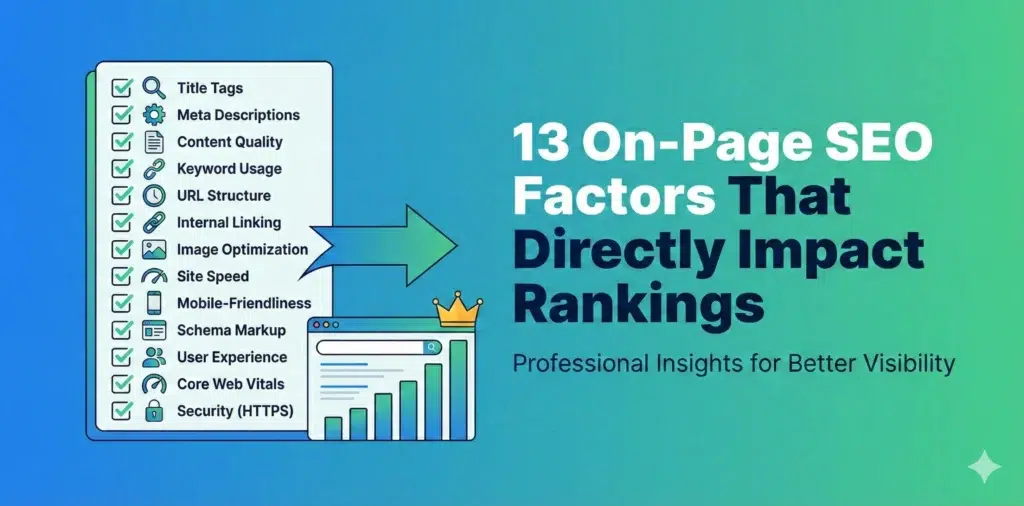
13 On-Page SEO Factors That Directly Impact Rankings

If your website isn’t ranking on Google, there’s a good chance your on-page SEO needs work. I’m going to walk you through the 13 most important on-page factors that actually move the needle in 2025 and beyond. Let’s skip the fluff and get straight to what works. How to Improve Your Ranking by Considering the On-Page SEO Factors On-page SEO is everything you can control directly on your website to help it rank better. Unlike off-page SEO (which is mostly about backlinks and external signals), on-page optimization is completely within your control. The problem? Most people either overomplicate it or focus on outdated tactics that don’t matter anymore. Here’s what actually matters right now. 1. Keyword Research and Optimization You can’t rank for keywords you haven’t targeted. Sounds obvious, but alot of websites fail here. Start with proper keyword research. Use tools like Google Keyword Planner, Ahrefs, or SEMrush to find keywords that: Don’t just go after high-volume keywords. A keyword with 50,000 monthly searches and massive competition is useless if you can’t rank for it. Sometimes a keyword with 500 monthly searches and low competition is way more valuable. Keyword placement matters: LSI keywords (Latent Semantic Indexing) are related terms that help Google understand your content better. If your writing about “coffee makers,” LSI keywords might include “brewing,” “espresso,” “French press,” “automatic drip,” etc. Include these naturally. Don’t force them. 2. Title Tag Optimization Your title tag is one of the most important on-page SEO factors. It’s what shows up in search results and tells both users and Google what your page is about. Title tag best practices: Good example: “How to Make Cold Brew Coffee at Home | Complete Guide” Bad example: “Coffee | How to Make It | Cold Brew Coffee Tutorial | Best Coffee Brewing Methods” The second one is keyword-stuffed, too long, and unclear. Don’t do this: Your title tag should match your H1 heading closely, but they don’t have to be identical. The title tag is for search engines and social shares, while the H1 is for users on your page. 3. Meta Descriptions Meta descriptions don’t directly impact rankings, but they absolutely impact click-through rates – and click-through rate does affect rankings. Think of your meta description as ad copy. You’ve got about 155-160 characters to convince someone to click your result instead of the nine others on the page. Meta description guidelines: Example: “Learn how to make cold brew coffee at home with our step-by-step guide. Includes brewing ratios, timing tips, and common mistakes to avoid.” That’s clear, includes the keyword, and tells you exactly what you’ll get. Common mistakes: Each page needs its own unique meta description. 4. Header Tags (H1, H2, H3, etc.) Header tags organize your content and help Google understand the structure and hierarchy of your page. The H1 tag is your main page title. You should only have one H1 per page, and it should include your primary keyword. H2 tags are your main section headers. These should cover the major topics on your page. H3 tags are sub-sections under your H2s. H4, H5, and H6 tags create even more detailed hierarchies, but most pages don’t need to go that deep. Here’s a proper structure: This structure makes sense both to humans reading your content and to Google trying to understand it. Header tag tips: Headers also improve readability. Nobody wants to read a 2000-word wall of text with no breaks. 5. URL Structure Clean, descriptive URLs rank better than messy ones filled with parameters and random characters. Good URL: yoursite.com/cold-brew-coffee-guide Bad URL: yoursite.com/p=12345?cat=beverages&ref=homepage Your URL should: For blog posts, include the post title or a shortened version. For product pages, include the product name. For category pages, include the category. URL structure for sites with multiple levels: Example: yoursite.com/recipes/coffee/cold-brew-guide Keep the structure logical and not too deep. Try to keep important pages within 3 clicks of your homepage. Important: Once a URL is published and getting traffic, don’t change it unless absolutely necessary. If you do change it, set up a 301 redirect from the old URL to the new one so you don’t lose rankings or create broken links. Read More: The Ultimate Google My Business Profile Optimization Checklist 6. Image Optimization Images make your content better, but they can also slow down your site if not optimized properly. They’re also an opportunity for additional rankings through image search. Image SEO basics: Alt text example: Good: “Cold brew coffee steeping in a glass container with coffee grounds” Bad: “coffee cold brew make cold brew coffee at home best cold brew” Alt text serves two purposes: If an image is purely decorative and adds no information, you can leave the alt text empty (alt=””) so screen readers skip it. Image file sizes: Use tools like TinyPNG, ImageOptim, or built-in compression in your CMS to reduce file sizes. 7. Internal Linking Internal links connect your pages together and help Google discover and understand your content. They also keep visitors on your site longer. Internal linking strategy: Anchor text matters: Good: “Learn more about choosing the best coffee beans for cold brew” Bad: “Click here to read more about this topic” “Click here” tells Google nothing about what the linked page is about. Descriptive anchor text passes relevance signals. Link structure tips: Internal linking is one of the most underutilized on-page SEO tactics. Most sites do it poorly or not at all. 8. External Links to Authoritative Sources Linking out to high-quality, relevant sources helps your credibility and can actually improve your rankings. Google wants to see that your content exists within the broader context of the web. Citing authoritative sources shows you’ve done your research. When to link externally: What makes a good external link: What to avoid: You don’t need alot of external links – a few high-quality ones per article is plenty. 9. Mobile-Friendliness Google uses mobile-first indexing, which means it looks at the mobile version of your site first when determining rankings. If

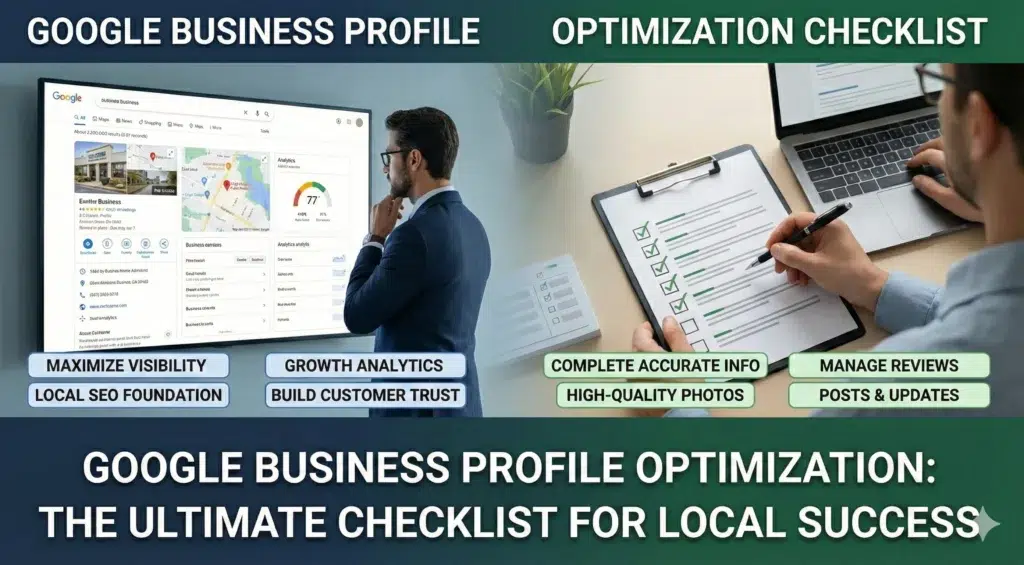
The Ultimate Google Business Profile Optimization Checklist
Local SEO

The Ultimate Google Business Profile Optimization Checklist (2026)

If your local business isn’t showing up when people search for services in your area, there’s a good chance your Google Business Profile needs some serious attention. I’ve spent years helping businesses fix this exact problem, and I’m going to walk you through everything that actually matters. Let’s be real here – most guides overcomplicate this stuff. You don’t need a PhD to get your business showing up on Google Maps. You just need to understand what Google cares about and give it to them consistently. Why Your Google Business Profile Matters More Than You Think Your Google Business Profile (or GBP – yeah, it used to be called Google My Business, or GMB) is probably the single most important online listing your business has. Period. Think about it this way: when someone searches “plumber near me” or “best pizza in Phoenix,” what shows up first? Those map listings at the top of the page. That’s your GBP in action. And if your not in that top three? Your basically invisible to alot of potential customers. According to research, businesses with photos on their profile get 42% more requests for driving directions and 35% more clicks to their websites. Those aren’t small numbers – that’s real customers finding your business instead of your competitors. The Three Things Google Actually Cares About Google uses three main factors to determine who shows up in local search results. Understanding these is critical if you want to rank higher. Relevance – How well does your business match what someone’s searching for? If your a dentist and someone searches for “emergency tooth pain,” Google needs to understand that your relevant. This comes down to your business categories, services listed, and how complete your profile is. Distance – How close is your business to the person searching? This ones pretty straight forward. Someone searching from downtown Phoenix is going to see different results than someone searching from Scottsdale. You can’t really control this one, but you can make sure your address is accurate. Prominence – How well-known is your business? Google looks at your reviews, how many people search for your business by name, your website authority, and even how your mentioned across the web. This is where reviews and consistent information becomes super important. Setting Up Your Profile The Right Way Most people rush through the setup process and wonder why they’re not getting results. Don’t be that person. Take the time to do this properly from the start. Claiming and Verifying Your Business First things first – you need to claim your listing. Go to google.com/business and search for your business. If it already exists, claim it. If not, create a new listing. Google will make you verify your business, usually by sending a postcard to your address with a verification code. This usually takes about 14 days, so be patient. Don’t make any changes to your listing while your waiting for that postcard – it can mess up the verification process. Some businesses get other verification options like phone or email, but most get the postcard. Just deal with it. Your Business Name (Don’t Mess This Up) Use your actual business name. That’s it. Don’t add keywords, don’t add your city, don’t add “best” or “affordable” or any of that spam nonsense. I see this mistake all the time: “Joe’s Plumbing – Emergency Repairs Phoenix AZ 24/7” That’s wrong. And it can get your listing suspended. Just use “Joe’s Plumbing” if that’s your real business name. Your competitors might be doing this keyword stuffing thing and ranking higher because of it. You can report them by suggesting an edit to their listing. Google will eventually catch them anyway and suspend their profile, so your better off playing by the rules from the start. Address and Service Areas If customers come to your physical location (like a restaurant or retail store), enter your street address. Make sure it matches exactly what’s on your website and everywhere else online. If you go to customers locations (like a plumber or house cleaner), you have two options: There’s debate about which works better. From what I’ve seen, businesses that show there address tend to get more visibility in Maps, even if they’re service area businesses. But hiding your address is also totally legit if you don’t want customers showing up unannounced. For service areas, you can add up to 20 cities or zip codes. Don’t go crazy and add areas you don’t actually serve – Google won’t rank you well outside about a 20 mile radius anyway. Business Categories (This Is Critical) Your primary category is one of the biggest ranking factors. Choose the category that most accurately describes what you do. For a plumber, that’s “Plumber” – not “Plumbing supply store” or “Heating contractor” as your primary. Those can be secondary categories. You can add multiple secondary categories, and you should. Just make sure they all actually apply to your business. Don’t add “Electrician” if you don’t do electrical work. Google has over 4,000 categories to choose from. Take your time and pick the right ones. Business Description You get 750 characters to describe your business, but only the first 244 show up unless someone clicks “more.” So front-load the important stuff. Write naturally about what you do, who you serve, and what makes you different. Don’t keyword stuff. Don’t use ALL CAPS. Don’t put your website URL in here. Good example: “We’re a family-owned plumbing company serving Phoenix and surrounding areas since 2010. We handle everything from routine repairs to emergency calls, commercial work, and new construction plumbing. Our technicians are licensed, background-checked, and trained to treat your home with respect.” Bad example: “BEST PLUMBER PHOENIX!!! Emergency plumbing, drain cleaning, water heaters, sewer repair, commercial plumbing, residential plumbing, licensed plumber, cheap plumber near me www.bestplumberphoenix.com“ See the difference? Phone Numbers (Local Matters) Always use your local phone number with your area code. Never use a toll-free 800 number as your primary number on your

Uncategorized

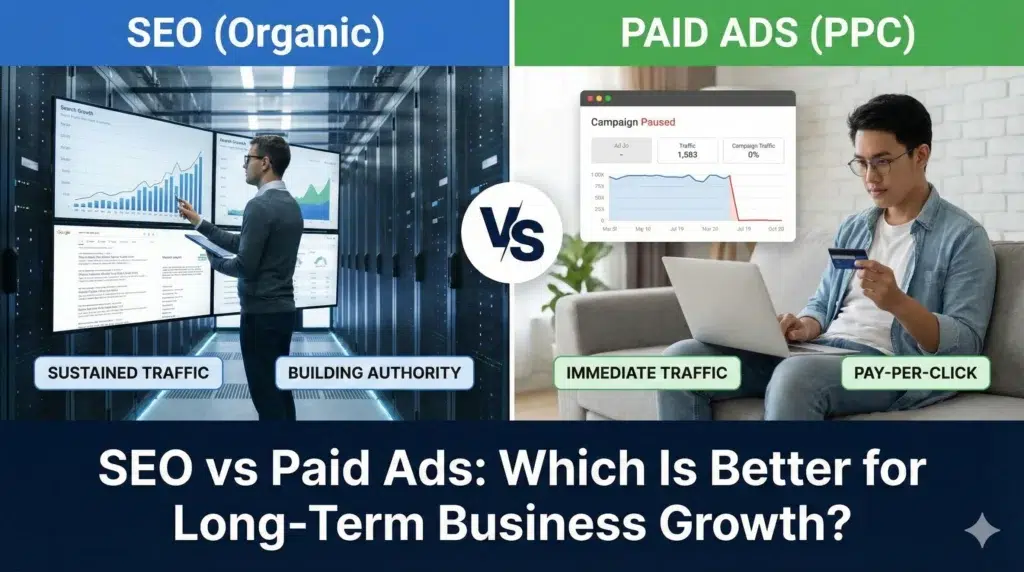
SEO vs Paid Ads: Which Is Better for Long-Term Business Growth?

When planning your digital marketing strategy, one question consistently surfaces: should you invest in SEO or paid ads? Both approaches drive traffic to your website, but they operate differently and produce distinct results over time. This comparison examines search engine optimization and pay-per-click advertising to help you determine which aligns better with your business goals—or whether combining both makes the most sense. Understanding the Core Differences Search Engine Optimization (SEO) focuses on improving your website’s organic visibility in search results. You’re optimizing content, technical elements, and building authority so search engines rank your pages higher naturally. Pay-Per-Click (PPC) Advertising, including Google Ads, puts your business at the top of search results through paid placements. You bid on keywords and pay each time someone clicks your ad. The fundamental distinction? SEO requires time and consistent effort to build momentum, while PPC delivers immediate visibility as soon as your campaign goes live. Cost Analysis: Investment vs. Ongoing Spend SEO Investment Structure SEO demands upfront investment in content creation, technical improvements, and link building. You might spend on: Once your content ranks well, it continues generating traffic without additional payment per click. Your initial investment compounds over time as you build a library of ranking content. PPC Cost Model Google Ads operates on a direct payment system. Your costs include: Traffic stops the moment you pause your budget. In competitive industries, CPCs can reach $50-100 or more per click, making sustained campaigns expensive. Long-term perspective: SEO typically becomes more cost-effective after 6-12 months as organic rankings improve. PPC maintains consistent costs that scale linearly with your traffic goals. Timeline: Quick Wins vs. Sustainable Growth PPC Speed Advantages Paid ads deliver results within hours. Launch a campaign in the morning, and you’ll see clicks by afternoon. This speed benefits: SEO’s Gradual Build Organic rankings take 3-6 months minimum to show meaningful results, often longer in competitive niches. Google needs time to: However, once you achieve strong rankings, they tend to remain stable with proper maintenance. Your position becomes increasingly difficult for competitors to displace. Traffic Quality and User Intent Organic Search Benefits Users often trust organic results more than ads. Studies show that organic listings receive approximately 70% of clicks on search results pages, while ads capture the remaining 30%. People searching organically demonstrate research behavior and often sit higher in the consideration phase. They’re actively looking for information, comparing options, and making informed decisions. Paid Ad Advantages PPC allows precise targeting of high-intent keywords that might be difficult to rank for organically. You can appear for: Your ad copy can directly address pain points and include strong calls-to-action, potentially improving conversion rates despite lower overall trust. Control and Flexibility PPC’s Immediate Adjustments Paid campaigns offer complete control: This flexibility allows rapid response to market changes, seasonal demand, or budget constraints. SEO’s Strategic Patience Organic optimization requires commitment to long-term strategy: You’re playing a long game, but the payoff includes compounding benefits that don’t disappear when you pause efforts. Competitive Landscape Considerations When SEO Makes Sense Strong organic visibility works best when: When PPC Performs Better Paid ads excel when: Conversion Performance SEO Conversion Patterns Organic traffic often converts at lower rates initially but demonstrates higher lifetime value. Users who find you through organic search: Your content educates and builds trust before the sale, creating informed customers who understand your value. PPC Conversion Dynamics Paid ads can achieve higher immediate conversion rates when properly optimized: However, these users may show less brand loyalty since they clicked based on ad positioning rather than organic discovery. Measuring Success: Key Metrics SEO Performance Indicators Track these metrics for organic success: Success builds gradually, so measure progress monthly and quarterly rather than daily. PPC Performance Metrics Monitor these factors for paid campaigns: You can assess PPC performance daily or weekly, making rapid optimization possible. The Case for Integration Most successful businesses don’t choose exclusively between SEO and PPC—they use both strategically. Complementary Benefits: Read More: How to Find a Good SEO Consultant Making Your Decision Choose SEO as your primary focus if you: Prioritize PPC advertising if you: Implement both strategies when you: Real-World Application Consider a new e-commerce store selling sustainable home goods: Year 1 Strategy: Heavy PPC investment drives immediate sales and provides data on which products resonate. Meanwhile, begin building SEO foundations with product descriptions, blog content about sustainability, and technical optimization. Year 2 Strategy: Organic content starts ranking for informational queries, bringing in research-phase customers. Reduce PPC budget for terms where organic ranking improves. Focus paid ads on high-value commercial terms and remarketing. Year 3+: Strong organic presence handles most traffic needs. PPC budget shifts to new product launches, seasonal campaigns, and maintaining visibility for ultra-competitive terms. The Verdict on Long-Term Growth For sustained business growth, SEO provides superior long-term value. Your investment compounds over time, creating assets that continue producing results years later. You build brand authority, trust, and a traffic source that doesn’t disappear when budgets tighten. However, SEO alone leaves opportunity on the table. Paid ads deliver immediate results, provide valuable market intelligence, and allow you to compete for visibility that organic search can’t capture quickly. The businesses that win long-term combine both approaches strategically—using PPC for quick wins and data collection while building SEO assets that drive sustainable growth. Start where your business needs are most urgent, but develop a roadmap that incorporates both. Your specific balance depends on your industry, competition, budget, and timeline—but the goal remains the same: consistent, profitable customer acquisition that scales with your business.

Professional SEO

How to Find a Good SEO Consultant

Let me tell you something I wish someone had told me years ago: learning how to find a good SEO consultant isn’t about picking the first person who shows up in your search results. It’s about finding someone who genuinely understands your business and can deliver results that matter. I’ve watched countless businesses hire the wrong SEO help—and pay the price. But I’ve also seen companies make brilliant choices that transformed their entire online presence. The difference? Knowing exactly how to find a good SEO consultant who actually delivers. Let me show you the proven process for finding someone who’ll actually move the needle for your business. When to Hire an SEO Expert Timing matters more than you think. Hire too early, and you might waste money on SEO when your business isn’t ready. Hire too late, and you’ve already lost valuable ground to competitors. Here’s when it makes sense to bring someone in: You’re seeing traffic but no conversions. Sometimes the problem isn’t getting people to your site—it’s getting the right people. When you know how to find a good SEO consultant, they can help target buyers instead of browsers. Your website is a technical mess. Slow loading times? Mobile issues? Crawl errors? These problems require expertise to fix properly. Trying to DIY technical SEO is like trying to fix your own car’s transmission—possible, but probably not wise. You’ve hit a plateau. Maybe you did some basic SEO yourself and saw early wins. But now? Nothing’s moving. That’s when an expert’s advanced strategies become worth their weight in gold. The consultants we work with have seen this pattern hundreds of times and know exactly how to break through those ceilings. You’re launching something new. New website? New product line? New market? Get an SEO consultant involved from day one. It’s way easier to build things right than to fix them later. Someone with real experience—the kind you’ll find when you properly learn how to find a good SEO consultant—can save you months of wasted effort. Your competitors are dominating search results. If everyone else in your industry is ranking above you, they’re probably working with professionals. You’re fighting an uphill battle alone. Why Hire an SEO Expert? Look, I get it. SEO services aren’t cheap. You might be wondering if it’s really worth the investment. Let me break down why working with the right consultant pays for itself—and why knowing how to find a good SEO consultant is one of the most valuable skills you can develop. They save you from costly mistakes. One wrong move—like building spammy links or over-optimizing content—can tank your rankings for months. Professionals who’ve been in the trenches know where the landmines are buried. The right consultant can spot these issues before they become disasters. They have tools you can’t afford. Enterprise SEO tools cost thousands per month. When you work with established consultants, they already have subscriptions to everything needed for proper research, tracking, and analysis. You get access to premium insights without the premium price tag. They stay current with constant changes. Google makes thousands of algorithm updates every year. Keeping up is literally someone’s full-time job when you hire an expert. The consultants we recommend spend hours each week staying ahead of changes, testing new strategies, and adapting to the shifting landscape. They bring strategic thinking. Good SEO isn’t just tactics—it’s strategy. Where should you focus? What opportunities are competitors missing? What’s your three-year roadmap? That’s what truly skilled consultants provide. When someone like our team members works with clients, they’re thinking five steps ahead, not just fixing today’s problems. They work faster. What might take you six months to figure out? An experienced consultant already knows the answer. Speed matters when you’re trying to grow. The right partner can compress your timeline dramatically. What Does an SEO Expert Do? Before we dive deeper into how to find a good SEO consultant, let’s make sure you know what you’re actually hiring for. Because “SEO” covers a lot of ground—and understanding the scope helps you evaluate candidates better. Technical SEO work. They audit your site for issues that hurt rankings. Things like site speed, mobile-friendliness, crawlability, indexation problems, structured data, security issues—all the behind-the-scenes stuff that makes or breaks your performance. Consultants who truly know their craft can identify and fix issues most people don’t even know exist. Keyword research and strategy. They figure out what terms your customers actually search for. Not what you think they search for—what they actually search for. Then they map those keywords to your content strategy in ways that align with real business goals. Content optimization. They make sure your existing content is properly optimized. They also guide your content creation so new pages are built to rank from day one. The best consultants understand how content fits into the bigger picture of your business objectives. Link building. Quality backlinks still matter—a lot. Consultants who’ve built relationships in the industry know how to earn legitimate links that move your rankings without risking penalties. This is where experience really shines—knowing which opportunities are worth pursuing and which could hurt you. Competitive analysis. They study what’s working for your competitors and find gaps you can exploit. Sometimes the best opportunities are the ones others missed. Seasoned consultants can spot patterns across industries and apply winning strategies to your specific situation. Performance tracking and reporting. You need to know what’s working. Good consultants provide clear reporting that shows ROI, not just vanity metrics like “impressions.” They translate data into actionable insights that help you make better business decisions. Ongoing optimization. SEO isn’t set-it-and-forget-it. Markets change. Algorithms update. Content needs refreshing. A consultant handles ongoing adjustments to keep you competitive month after month. How to Find a Good SEO Consultant: The Step-by-Step Process Alright, here’s the practical part. This is the exact process you should follow when figuring out how to find a good SEO consultant for your business. Follow these steps and you’ll dramatically improve your odds of

Scroll to Top