DIY Seo

DIY Seo, Professional SEO

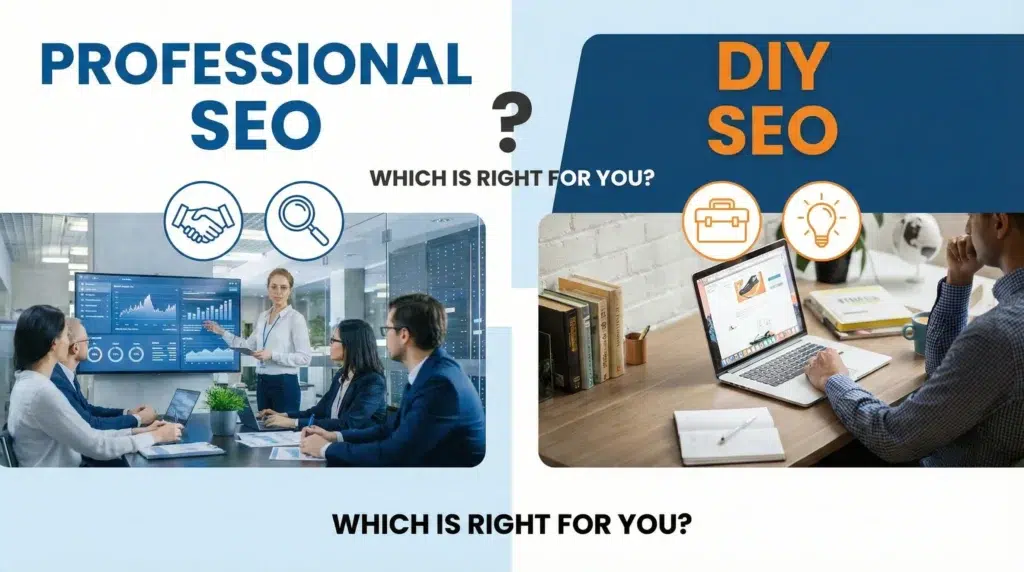
Professional vs DIY SEO: Which is Right for You

I’ll be honest with you—I’ve been in the SEO world long enough to see both sides of this debate play out hundreds of times. And here’s what I’ve learned: there’s no one-size-fits-all answer. But there is a right answer for your specific situation. Let me walk you through everything you need to know to make this decision with confidence. Key Takeaways Before we get into the weeds, here’s what you need to remember: Now, let’s break this down properly. What Should You Consider Before Doing DIY SEO? Before you roll up your sleeves and start optimizing pages yourself, take a step back. I’ve seen too many business owners jump into DIY SEO without asking themselves these critical questions first. 1. Budget Constraints Let’s start with the obvious one—money. If you’re bootstrapping a startup or running a small business where every dollar counts, DIY SEO might seem like the clear winner. And you know what? Sometimes it is. But here’s the catch: “free” isn’t really free. Your time has value. While you’re spending 20 hours a week learning about meta descriptions and backlinks, what’s not getting done in your business? That’s the real cost. 2. Company Size Are you a solopreneur with a simple five-page website? DIY could work beautifully. Running a mid-sized e-commerce site with 500+ product pages? That’s a different story entirely. The complexity scales fast. What starts as “I’ll just optimize a few pages” quickly becomes technical audits, schema markup, and competitive analysis. Size matters here—a lot. Read More: The Ultimate Google Business Profile Optimization Checklist 3. Other Marketing Channels Are Profitable Here’s something most people miss: if you’re already crushing it with paid ads, email marketing, or social media, maybe SEO doesn’t need to be your immediate focus. Or maybe it does, but you shouldn’t be the one doing it. If other channels are bringing in revenue, that’s your sign that your time is better spent there—at least while someone with experience handles your SEO foundation. Benefits of DIY SEO Alright, let’s talk about why DIY SEO can actually be a smart move for some businesses. 1. You Have Control Over Your SEO Campaigns This is huge for people who like to be hands-on. You make every decision. You write every piece of content. You choose every keyword. There’s no back-and-forth with an agency, no waiting for approvals, no miscommunication about your brand voice. When you’re in the driver’s seat, you can pivot immediately when something isn’t working. That kind of agility? It’s valuable. 2. It’s an Opportunity to Learn SEO I genuinely believe every business owner should understand SEO basics. Not because you need to do it yourself forever, but because it helps you make better decisions down the road. When you learn SEO yourself, you’ll never be at the mercy of an agency that might try to snow you with jargon. You’ll know what good work looks like. You’ll ask better questions. You’ll spot red flags before they become disasters. 3. Cost-Savings Yes, I said earlier that “free” isn’t really free. But let’s be real—for some businesses, cash flow is tight enough that “free except for my time” is the only option on the table. If you’re in that position, DIY SEO gives you a way to start building your online presence without writing checks you can’t afford. It’s not ideal, but it’s better than doing nothing. Cons of DIY SEO Now for the part nobody likes to hear—but needs to. 1. It’s Time-Consuming I’m not talking about spending an afternoon here and there. I’m talking about a serious, ongoing commitment. SEO isn’t a “set it and forget it” thing. You need to research keywords. Write content. Build links. Monitor rankings. Stay current with algorithm updates. Fix technical issues. Analyze competitors. The list literally never ends. Most business owners underestimate this by about 10x. They think it’ll take five hours a week. Six months later, they’re spending 20+ hours and still not seeing results. 2. The Lack of Expertise Can Lead to Mistakes Here’s the uncomfortable truth: Google is sophisticated. Really sophisticated. And mistakes in SEO don’t just mean you don’t see results—they can actively hurt your rankings. I’ve seen well-intentioned business owners accidentally create duplicate content issues, build spammy backlinks, over-optimize anchor text, or ignore critical technical problems. Then they spend months trying to undo the damage. You don’t know what you don’t know. And in SEO, that gap can be expensive. Read More: How to Find a Good SEO Consultant 3. Results Are Slower Even if you do everything right, DIY SEO typically takes longer to show results. Why? Because professionals have systems, tools, and experience that speed things up. They’ve already made the mistakes you’re about to make. They know which tactics work in your industry. They have relationships for link building. They can spot opportunities you’ll miss for months. If you need results in six months instead of 18, that matters. What to Consider When Hiring an SEO Expert So you’re thinking about bringing in the pros? Smart. But not all SEO experts are created equal. Here’s what to think about. 1. Budget Flexibility Professional SEO isn’t cheap—and it shouldn’t be. Quality SEO requires skilled people, premium tools, and ongoing effort. You’re typically looking at anywhere from a few thousand to tens of thousands per month, depending on your needs. Can your business afford that investment? More importantly, can you afford it for at least 6-12 months? SEO is a marathon, not a sprint. If you’re only able to commit to three months, you might be better off waiting until you have more runway. 2. Company Size Larger companies almost always benefit from professional SEO. You have more pages, more complexity, more competition, and more at stake. The ROI math works better when you’re operating at scale. That said, even smaller companies can benefit if they’re in competitive niches or ready to grow aggressively. 3. Current SEO Results If your SEO is already a disaster—think penalties, technical nightmares, or years
DIY Seo, Professional SEO

Internal vs External Links Explained

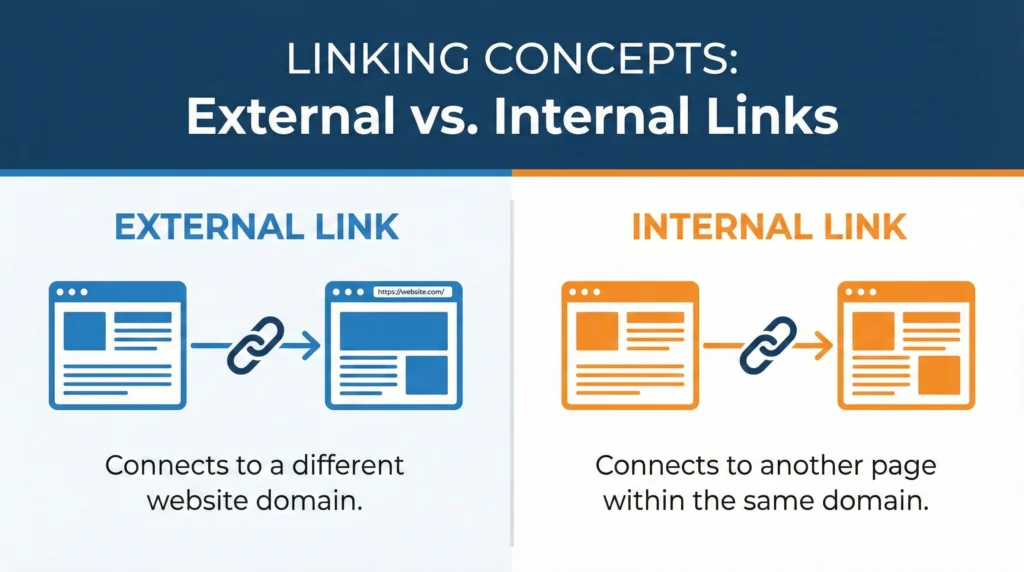
Links are the backbone of the internet. Without them, the web wouldn’t exist as we know it. But not all links are created equal, and understanding the difference between internal and external links is critical for your SEO success. I’m going to break down everything you need to know about both types of links, why they matter, and how to use them effectively. No fluff, just practical advice you can actually use. What Is an Internal Link? An internal link is a link from one page on your website to another page on the same website. That’s it. Pretty simple. When you link from your homepage to your “About Us” page, that’s an internal link. When you link from a blog post to another blog post on your site, that’s an internal link too. Examples of internal links: Internal links stay within your domain. They never send visitors to another website. Here’s what an internal link looks like in HTML: html Or with a full URL: html Both work the same way as long as they point to pages on your own domain. What Is an External Link? An external link (also called an outbound link) is a link from your website to a completely different website. Your sending visitors away from your site to someone else’s site. When you cite a statistic from a research study and link to the source, that’s an external link. When you mention a tool you use and link to their website, that’s an external link. Examples of external links: External links leave your domain and take visitors somewhere else. Here’s what an external link looks like: html The key difference? The domain is different from yours. Why Are Internal Links Important for SEO? Internal linking is one of the most underused SEO tactics. Most websites do it poorly or barely do it at all. That’s a huge missed opportunity. Increased User Engagement Internal links keep people on your website longer. When someone finishes reading an article and sees relevant links to other articles they might find interesting, there’s a good chance they’ll click. More page views per session = better engagement metrics = positive signals to Google. Think about Wikipedia. Every article has dozens of internal links to related topics. That’s why people fall down Wikipedia rabbit holes for hours. You want the same thing happening on your site. How internal links improve engagement: If someone lands on your article about “how to make cold brew coffee” and sees a link to “best coffee beans for cold brew,” they’re likely to click if they’re interested in the topic. Enhanced Search Engine Visibility Internal links help distribute “link equity” (also called link juice) throughout your site. When you get backlinks to your homepage, some of that authority can flow to other pages through internal links. How this works: Let’s say your homepage has alot of authority from backlinks. You link from your homepage to your main service pages. Those service pages gain some authority. Then you link from those service pages to specific blog posts. Those posts gain authority too. Without internal links, that authority stays stuck on your homepage. Internal links help pages rank better: Your most important pages should have the most internal links pointing to them. That’s a signal to Google that these pages matter. Improved Crawl Efficiency Search engine bots (like Googlebot) discover your pages by following links. If a page has no internal links pointing to it, Google might never find it. Internal links help Google: This is especially important for large websites with hundreds or thousands of pages. Good internal linking ensures every important page is discoverable. Orphan pages are pages with no internal links pointing to them. These pages are basically invisible to Google unless they’re directly linked from your sitemap. Don’t let important pages become orphans. Better Site Architecture Internal links create the structure of your website. They show how different topics and pages relate to each other. A good internal linking structure looks like a pyramid: Each level links up to the level above and down to the level below. This creates a logical hierarchy that both users and search engines can follow. Why Are External Links Important for SEO? Some people are scared to link externally because they think it will hurt their rankings or “give away” their link juice. That’s wrong. External links are actually good for your SEO when used properly. Increased Credibility When you cite reputable sources and link to authoritative websites, you increase your own credibility. Your showing that your claims are backed by research and that your content exists within the broader context of your industry. Think about academic papers – they’re full of citations. That’s not a weakness, it’s a strength. It shows the author did their homework. External links boost credibility by: If you make a claim like “70% of consumers read reviews before making a purchase,” you better link to the source of that statistic. Otherwise, why should anyone believe you? Enhanced Website Authority Google wants to see that your content is part of the larger web ecosystem. Sites that never link out look suspicious – like they’re trying to hoard value or don’t want readers to fact-check them. External links to high-quality sites actually help your SEO: Obviously, link to good sites. Linking to spammy, low-quality sites can hurt you. But linking to authoritative sources like .edu sites, .gov sites, industry leaders, and reputable publications is beneficial. Potential for Increased Website Traffic When you link to other sites, especially if you write something insightful or interesting about their content, they might notice. This can lead to: It’s not guaranteed, but it happens. I’ve gotten backlinks and social shares simply because I linked to someone’s content and they appreciated it. Some people even set up Google Alerts for their brand name or website so they’re notified when someone links to them. Better User Experience External links provide value to your readers by pointing them to

Scroll to Top