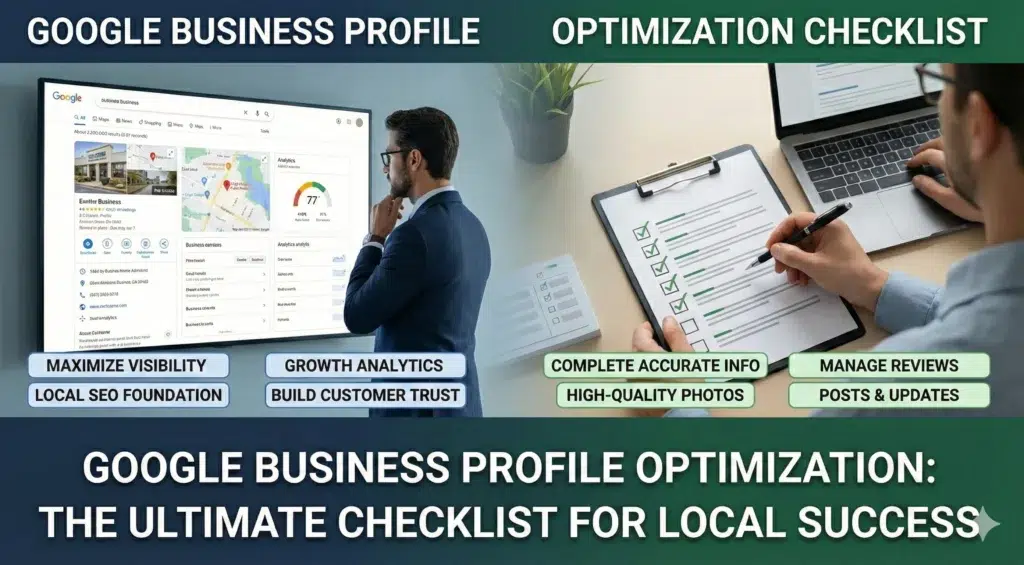
The Ultimate Google Business Profile Optimization Checklist (2026)
If your local business isn’t showing up when people search for services in your area, there’s a good chance your Google Business Profile needs some serious attention. I’ve spent years helping businesses fix this exact problem, and I’m going to walk you through everything that actually matters. Let’s be real here – most guides overcomplicate this stuff. You don’t need a PhD to get your business showing up on Google Maps. You just need to understand what Google cares about and give it to them consistently. Why Your Google Business Profile Matters More Than You Think Your Google Business Profile (or GBP – yeah, it used to be called Google My Business, or GMB) is probably the single most important online listing your business has. Period. Think about it this way: when someone searches “plumber near me” or “best pizza in Phoenix,” what shows up first? Those map listings at the top of the page. That’s your GBP in action. And if your not in that top three? Your basically invisible to alot of potential customers. According to research, businesses with photos on their profile get 42% more requests for driving directions and 35% more clicks to their websites. Those aren’t small numbers – that’s real customers finding your business instead of your competitors. The Three Things Google Actually Cares About Google uses three main factors to determine who shows up in local search results. Understanding these is critical if you want to rank higher. Relevance – How well does your business match what someone’s searching for? If your a dentist and someone searches for “emergency tooth pain,” Google needs to understand that your relevant. This comes down to your business categories, services listed, and how complete your profile is. Distance – How close is your business to the person searching? This ones pretty straight forward. Someone searching from downtown Phoenix is going to see different results than someone searching from Scottsdale. You can’t really control this one, but you can make sure your address is accurate. Prominence – How well-known is your business? Google looks at your reviews, how many people search for your business by name, your website authority, and even how your mentioned across the web. This is where reviews and consistent information becomes super important. Setting Up Your Profile The Right Way Most people rush through the setup process and wonder why they’re not getting results. Don’t be that person. Take the time to do this properly from the start. Claiming and Verifying Your Business First things first – you need to claim your listing. Go to google.com/business and search for your business. If it already exists, claim it. If not, create a new listing. Google will make you verify your business, usually by sending a postcard to your address with a verification code. This usually takes about 14 days, so be patient. Don’t make any changes to your listing while your waiting for that postcard – it can mess up the verification process. Some businesses get other verification options like phone or email, but most get the postcard. Just deal with it. Your Business Name (Don’t Mess This Up) Use your actual business name. That’s it. Don’t add keywords, don’t add your city, don’t add “best” or “affordable” or any of that spam nonsense. I see this mistake all the time: “Joe’s Plumbing – Emergency Repairs Phoenix AZ 24/7” That’s wrong. And it can get your listing suspended. Just use “Joe’s Plumbing” if that’s your real business name. Your competitors might be doing this keyword stuffing thing and ranking higher because of it. You can report them by suggesting an edit to their listing. Google will eventually catch them anyway and suspend their profile, so your better off playing by the rules from the start. Address and Service Areas If customers come to your physical location (like a restaurant or retail store), enter your street address. Make sure it matches exactly what’s on your website and everywhere else online. If you go to customers locations (like a plumber or house cleaner), you have two options: There’s debate about which works better. From what I’ve seen, businesses that show there address tend to get more visibility in Maps, even if they’re service area businesses. But hiding your address is also totally legit if you don’t want customers showing up unannounced. For service areas, you can add up to 20 cities or zip codes. Don’t go crazy and add areas you don’t actually serve – Google won’t rank you well outside about a 20 mile radius anyway. Business Categories (This Is Critical) Your primary category is one of the biggest ranking factors. Choose the category that most accurately describes what you do. For a plumber, that’s “Plumber” – not “Plumbing supply store” or “Heating contractor” as your primary. Those can be secondary categories. You can add multiple secondary categories, and you should. Just make sure they all actually apply to your business. Don’t add “Electrician” if you don’t do electrical work. Google has over 4,000 categories to choose from. Take your time and pick the right ones. Business Description You get 750 characters to describe your business, but only the first 244 show up unless someone clicks “more.” So front-load the important stuff. Write naturally about what you do, who you serve, and what makes you different. Don’t keyword stuff. Don’t use ALL CAPS. Don’t put your website URL in here. Good example: “We’re a family-owned plumbing company serving Phoenix and surrounding areas since 2010. We handle everything from routine repairs to emergency calls, commercial work, and new construction plumbing. Our technicians are licensed, background-checked, and trained to treat your home with respect.” Bad example: “BEST PLUMBER PHOENIX!!! Emergency plumbing, drain cleaning, water heaters, sewer repair, commercial plumbing, residential plumbing, licensed plumber, cheap plumber near me www.bestplumberphoenix.com“ See the difference? Phone Numbers (Local Matters) Always use your local phone number with your area code. Never use a toll-free 800 number as your primary number on your