Links are the backbone of the internet. Without them, the web wouldn’t exist as we know it. But not all links are created equal, and understanding the difference between internal and external links is critical for your SEO success.
I’m going to break down everything you need to know about both types of links, why they matter, and how to use them effectively. No fluff, just practical advice you can actually use.
What Is an Internal Link?
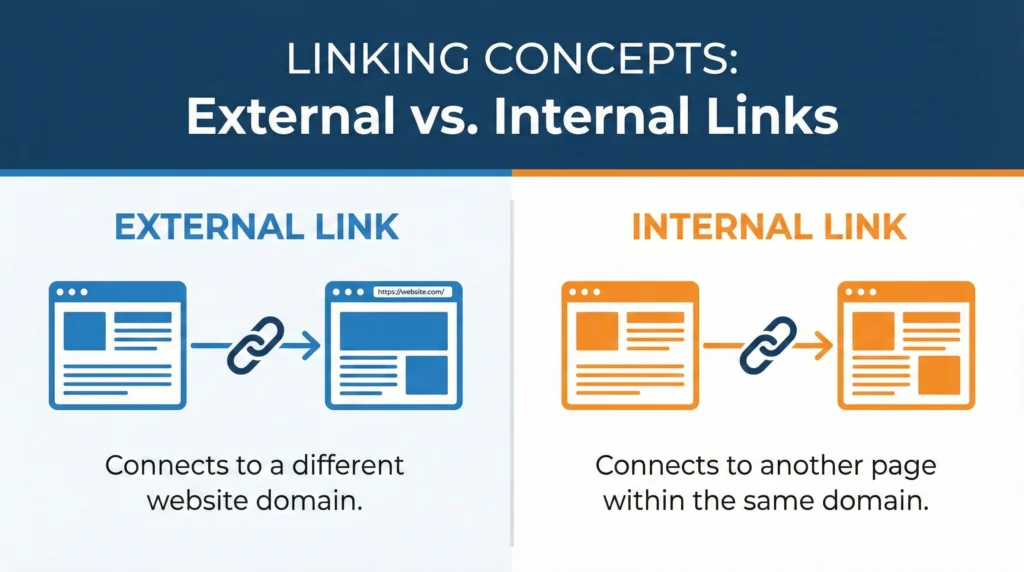
An internal link is a link from one page on your website to another page on the same website. That’s it. Pretty simple.
When you link from your homepage to your “About Us” page, that’s an internal link. When you link from a blog post to another blog post on your site, that’s an internal link too.
Examples of internal links:
- Navigation menu links
- Footer links
- Links within your content to other articles
- Breadcrumb navigation
- Related posts sections
- Call-to-action buttons linking to other pages
Internal links stay within your domain. They never send visitors to another website.
Here’s what an internal link looks like in HTML:
html
<a href="/blog/seo-guide">Read our complete SEO guide</a>Or with a full URL:
html
<a href="https://yoursite.com/blog/seo-guide">Read our complete SEO guide</a>Both work the same way as long as they point to pages on your own domain.
What Is an External Link?
An external link (also called an outbound link) is a link from your website to a completely different website. Your sending visitors away from your site to someone else’s site.
When you cite a statistic from a research study and link to the source, that’s an external link. When you mention a tool you use and link to their website, that’s an external link.
Examples of external links:
- Links to sources and citations
- Links to tools or resources you recommend
- Links to related content on other sites
- Links to your social media profiles (technically external)
- Links to partner or supplier websites
External links leave your domain and take visitors somewhere else.
Here’s what an external link looks like:
html
<a href="https://anothersite.com/article">Check out this research</a>The key difference? The domain is different from yours.
Why Are Internal Links Important for SEO?
Internal linking is one of the most underused SEO tactics. Most websites do it poorly or barely do it at all. That’s a huge missed opportunity.
Increased User Engagement
Internal links keep people on your website longer. When someone finishes reading an article and sees relevant links to other articles they might find interesting, there’s a good chance they’ll click.
More page views per session = better engagement metrics = positive signals to Google.
Think about Wikipedia. Every article has dozens of internal links to related topics. That’s why people fall down Wikipedia rabbit holes for hours. You want the same thing happening on your site.
How internal links improve engagement:
- They provide a natural path to related content
- They answer follow-up questions readers might have
- They help users find exactly what they need
- They reduce bounce rates by giving people somewhere else to go
If someone lands on your article about “how to make cold brew coffee” and sees a link to “best coffee beans for cold brew,” they’re likely to click if they’re interested in the topic.
Enhanced Search Engine Visibility
Internal links help distribute “link equity” (also called link juice) throughout your site. When you get backlinks to your homepage, some of that authority can flow to other pages through internal links.
How this works:
Let’s say your homepage has alot of authority from backlinks. You link from your homepage to your main service pages. Those service pages gain some authority. Then you link from those service pages to specific blog posts. Those posts gain authority too.
Without internal links, that authority stays stuck on your homepage.
Internal links help pages rank better:
- They pass authority from strong pages to weaker ones
- They signal to Google which pages are important (pages with more internal links pointing to them)
- They help Google understand topic relationships on your site
- They distribute ranking power throughout your site
Your most important pages should have the most internal links pointing to them. That’s a signal to Google that these pages matter.
Improved Crawl Efficiency
Search engine bots (like Googlebot) discover your pages by following links. If a page has no internal links pointing to it, Google might never find it.
Internal links help Google:
- Discover new pages faster
- Understand your site structure
- Determine which pages are most important
- Crawl your site more efficiently
- Index pages that might otherwise be missed
This is especially important for large websites with hundreds or thousands of pages. Good internal linking ensures every important page is discoverable.
Orphan pages are pages with no internal links pointing to them. These pages are basically invisible to Google unless they’re directly linked from your sitemap. Don’t let important pages become orphans.
Better Site Architecture
Internal links create the structure of your website. They show how different topics and pages relate to each other.
A good internal linking structure looks like a pyramid:
- Homepage at the top
- Main category/service pages one level down
- Subcategory pages or detailed guides below that
- Individual blog posts and specific pages at the bottom
Each level links up to the level above and down to the level below. This creates a logical hierarchy that both users and search engines can follow.
Why Are External Links Important for SEO?
Some people are scared to link externally because they think it will hurt their rankings or “give away” their link juice. That’s wrong.
External links are actually good for your SEO when used properly.
Increased Credibility
When you cite reputable sources and link to authoritative websites, you increase your own credibility. Your showing that your claims are backed by research and that your content exists within the broader context of your industry.
Think about academic papers – they’re full of citations. That’s not a weakness, it’s a strength. It shows the author did their homework.
External links boost credibility by:
- Providing proof for your claims
- Showing you’ve researched the topic
- Connecting your content to authoritative sources
- Demonstrating transparency
- Building trust with readers
If you make a claim like “70% of consumers read reviews before making a purchase,” you better link to the source of that statistic. Otherwise, why should anyone believe you?
Enhanced Website Authority
Google wants to see that your content is part of the larger web ecosystem. Sites that never link out look suspicious – like they’re trying to hoard value or don’t want readers to fact-check them.
External links to high-quality sites actually help your SEO:
- They show Google your content is well-researched
- They demonstrate you understand your topic in context
- They prove your not just making stuff up
- They connect you to authoritative domains in your niche
Obviously, link to good sites. Linking to spammy, low-quality sites can hurt you. But linking to authoritative sources like .edu sites, .gov sites, industry leaders, and reputable publications is beneficial.
Potential for Increased Website Traffic
When you link to other sites, especially if you write something insightful or interesting about their content, they might notice. This can lead to:
- Them sharing your content
- Them linking back to you
- Building relationships with other sites in your niche
- Getting noticed by influencers or industry leaders
It’s not guaranteed, but it happens. I’ve gotten backlinks and social shares simply because I linked to someone’s content and they appreciated it.
Some people even set up Google Alerts for their brand name or website so they’re notified when someone links to them.
Better User Experience
External links provide value to your readers by pointing them to additional resources, tools, or information they might find helpful.
If your writing a guide about email marketing and mention specific tools like Mailchimp or ConvertKit, link to them. Your readers will appreciate not having to search for these tools themselves.

When to use external links:
- Citing statistics or research
- Referencing tools or software
- Pointing to additional resources
- Giving credit for ideas or quotes
- Recommending products or services
- Linking to definitions or explanations
Just make sure the external links you add actually provide value. Don’t link out just for the sake of linking out.
Internal Links and External Links: Understanding the Key Differences
Let’s break down the main differences between these two types of links:
| Aspect | Internal Links | External Links |
|---|---|---|
| Destination | Stay on your domain | Go to another domain |
| Purpose | Navigation, structure, authority distribution | Citations, resources, credibility |
| SEO Impact | Distribute authority, improve crawling | Build credibility, context signals |
| User Impact | Keep users on your site | Send users elsewhere |
| Control | Full control | No control over destination |
| Link Equity | Passes within your site | Passes to external site |
Both types are necessary. A site with only internal links and no external links looks suspicious. A site with tons of external links but poor internal linking is wasting its own authority.
Other Types of Links to Know: NoFollow and DoFollow Links
When we talk about links, we also need to understand the attributes that can be added to them.
DoFollow Links
DoFollow is the default state of a link. When you create a link without any special attributes, it’s automatically a dofollow link.
DoFollow links pass “link equity” from one page to another. They tell search engines “I vouch for this link, it’s valuable.”
Most of your internal links should be dofollow. Most external links to quality sources should be dofollow too.
NoFollow Links
NoFollow links include a specific attribute that tells search engines not to pass link equity.
Here’s what a nofollow link looks like:
html
<a href="https://example.com" rel="nofollow">Link text</a>When to use nofollow links:
- User-generated content (comments, forum posts)
- Paid links or sponsored content
- Links you don’t fully trust
- Links to login pages or checkout pages
- Links in widgets or footers
Google introduced additional attributes in 2019:
rel="sponsored"– for paid or sponsored linksrel="ugc"– for user-generated content
These give Google more context about why a link exists.
For internal links: Generally use dofollow unless you have a specific reason not to (like linking to a login page or terms of service).
For external links: Use dofollow for editorial links to quality sources. Use nofollow/sponsored for ads or paid placements. Use your judgment for everything else.
Google has said they treat nofollow as a “hint” now rather than a directive, but it’s still good practice to use these attributes appropriately.
How to Craft Effective Internal Links
Not all internal links are created equal. Here’s how to make yours count.
Use Relevant Anchor Text
Anchor text is the clickable text of your link. It should describe what the linked page is about.
Good anchor text:
- “Learn more about keyword research strategies”
- “Check out our complete guide to email marketing”
- “See our review of the best SEO tools”
Bad anchor text:
- “Click here”
- “This page”
- “Link”
- “Read more”
Generic anchor text gives Google zero information about what the linked page contains. Descriptive anchor text helps Google understand the relationship between pages.
Don’t go overboard with exact-match keywords though. If every link to your “best coffee maker” page uses the exact phrase “best coffee maker” as anchor text, that looks unnatural.
Mix it up:
- “Best coffee maker”
- “Our coffee maker guide”
- “Top-rated coffee makers”
- “Learn which coffee maker is right for you”
Link to Related Content
Only link to pages that are actually relevant to what your talking about. Random internal links just for the sake of linking confuse users and dilute your link equity.
If your writing about cold brew coffee, linking to your article about espresso machines makes sense. Linking to your article about choosing a laptop doesn’t.
Keep links contextual:
- Link when it naturally supports your content
- Link when it answers a question the reader might have
- Link when it provides valuable additional information
- Link when it’s the logical next step in a process
Don’t force links where they don’t belong.
Avoid Over-Linking
There’s no magic number for how many internal links a page should have, but don’t go crazy.
Guidelines for internal linking:
- 2-5 internal links per 1000 words is reasonable
- More is okay for comprehensive guides or pillar content
- Navigation and footer links don’t count toward this
- Every page should have at least one internal link pointing to it
- Important pages should have more internal links
Too many links is distracting and can look spammy. Focus on quality over quantity.
Also avoid linking to the same page multiple times from the same article. One link is enough.
Structure Your Links Strategically
Think about your internal linking as creating pathways through your site.
Hub and spoke model:
- Create “hub” pages about main topics
- Link from the hub to all related “spoke” pages
- Link back from spoke pages to the hub
- Create connections between related spoke pages
Example: You have a hub page about “Coffee Brewing Methods.” From there, you link to individual pages about French press, pour over, espresso, cold brew, etc. Each of those pages links back to the hub and to related methods.
This creates a topic cluster that helps Google understand you’re an authority on coffee brewing.
Best Practices for Internal Linking
Here’s what actually works for internal linking in 2025:
1. Link from high-authority pages to pages you want to rank
If your homepage or a popular blog post has lots of backlinks, use internal links from those pages to boost other important pages.
2. Use descriptive anchor text
We covered this already, but it’s worth repeating. Tell Google and users what they’ll find when they click.
3. Keep links natural and contextual
Links should fit naturally within your content. Don’t force them.
4. Link deep, not just to your homepage
Link to specific relevant pages, not just your homepage or main category pages.
5. Update old content with links to new content
When you publish a new article, go back to older related articles and add links to the new one. This helps it get indexed faster and distributes authority.
6. Use breadcrumb navigation
Breadcrumbs are a type of internal link that shows the path from the homepage to the current page. They help both users and search engines understand site structure.
7. Create related posts sections
Automatically generated “related posts” sections at the end of articles are an easy way to add contextual internal links.
8. Fix broken internal links immediately
Broken links create dead ends for both users and search engines. Use tools like Screaming Frog or Google Search Console to find and fix them.
Common Pitfalls to Avoid
Don’t overoptimize anchor text – Using exact-match keywords in every link looks manipulative.
Don’t create link loops – If page A links to page B, and page B links back to page A, and that’s their only internal links, you’ve created an isolated loop.
Don’t neglect your navigation – Your main navigation menu is prime real estate for internal links to your most important pages.
Don’t forget about new content – Make sure new pages get internal links pointing to them from existing content.
Don’t use nofollow for internal links (unless you have a specific reason) – You want link equity flowing through your site.
Creating Effective External Links
External links are simpler than internal links, but there are still best practices to follow.
Link to Authoritative Sources
When you link externally, link to high-quality, authoritative sources.
Good external link destinations:
- .edu and .gov sites
- Industry-leading publications
- Original research and studies
- Well-known brands and companies
- Established expert blogs in your niche
Avoid linking to:
- Spammy or low-quality sites
- Sites with obvious SEO manipulation
- Sites with thin or duplicate content
- Direct competitors (unless there’s a good reason)
- Sites with security issues
A good rule of thumb: Would you feel comfortable recommending this site to a friend? If not, don’t link to it.
Use External Links Sparingly
You don’t need tons of external links. A few high-quality ones per article is plenty.
Too many external links can:
- Distract readers from your own content
- Send people away before they convert
- Look like your just aggregating other people’s content
Use external links when they genuinely add value, not just to have them.
Open External Links in New Tabs (Maybe)
There’s debate about whether external links should open in new tabs or the same tab.
Arguments for new tabs:
- Keeps users on your site
- Prevents them from losing their place
- Better for reference links they might want to check later
Arguments against new tabs:
- Can be annoying on mobile
- Takes control away from users
- Can cause confusion
My take? For important external resources or references, open in new tabs. For less critical links, same tab is fine. Test what works for your audience.
To open in a new tab:
html
<a href="https://example.com" target="_blank" rel="noopener">Link text</a>The rel="noopener" is a security measure that should be included with target="_blank".
Be Transparent About Paid Links
If you’re getting paid for a link or it’s part of a sponsorship, disclose it and use the appropriate rel attribute.
html
<a href="https://example.com" rel="sponsored">Sponsored Link</a>Failing to do this violates Google’s guidelines and can result in penalties.
Best Practices for External Linking
1. Always link to original sources
Don’t link to a site that’s citing another site. Go to the original source.
2. Check that links work before publishing
Nothing’s more embarrassing than a broken external link, especially in a citation.
3. Update or remove outdated external links
Periodically audit your external links. Remove links to pages that no longer exist or have changed significantly.
4. Use external links to support your arguments
Link to data, research, examples, or expert opinions that back up what your saying.
5. Don’t worry about “link juice”
The old idea that external links “waste” your link juice is outdated. Link to quality sources without fear.
6. Consider the relevance
External links should be relevant to your content and provide value to readers.
Link Auditing & Maintenance
Links aren’t a set-it-and-forget-it thing. You need to maintain them over time.
Regular Link Audits
At least quarterly, audit your links:
For internal links:
- Check for broken links
- Find orphan pages with no internal links
- Identify pages with too few internal links
- Look for opportunities to add links from high-authority pages
- Remove or update links to outdated content
For external links:
- Check for broken links
- Verify sources are still authoritative
- Remove links to sites that have declined in quality
- Update links to newer, better resources when available
Tools for Link Analysis
Free tools:
- Google Search Console (shows internal linking)
- Screaming Frog (free for up to 500 URLs)
- Check My Links (Chrome extension for finding broken links)
Paid tools:
- Ahrefs (excellent for both internal and external link analysis)
- SEMrush (comprehensive site audit features)
- Moz Pro (link explorer and site crawl)
These tools will show you:
- Which pages have the most internal links
- Which pages have no internal links
- Broken internal and external links
- Anchor text distribution
- Link equity flow through your site
Striking the Right Balance Between Internal and External Links
The key to link strategy is balance. You need both types working together.
A typical blog post might have:
- 3-5 internal links to related content
- 1-3 external links to sources or resources
- Navigation and footer links (not counted)
Focus on:
- Adding value for the reader
- Supporting your content with credible sources
- Creating logical pathways through your site
- Building topical authority through internal link clusters
- Maintaining a natural link profile
Don’t obsess over exact ratios. Think about what serves your readers best.
How Linking Affects User Experience
Links should improve user experience, not detract from it.
Good linking practices:
- Links that help users find what they need faster
- Links that answer questions that naturally arise
- Links that provide additional depth without cluttering the main content
- Links that open relevant resources
- Links that work on all devices
Bad linking practices:
- Links that break the flow of reading
- Too many links that overwhelm the user
- Irrelevant links added just for SEO
- Broken links that frustrate users
- Links that mislead about what the destination contains
Always ask: “Does this link make the user’s experience better?” If not, remove it.
Managing and Optimizing Your Links for Maximum SEO Impact
Here’s your action plan for link optimization:
For Internal Links:
Week 1:
- Audit your site for orphan pages and broken internal links
- Identify your most important pages (money pages, service pages, cornerstone content)
- Check how many internal links point to these important pages
Week 2:
- Add internal links from high-authority pages to important pages that need a boost
- Update old content to include links to newer related content
- Create or improve your site’s navigation structure
Week 3:
- Develop a content cluster around your main topics
- Create hub pages that link to all related content
- Ensure spoke pages link back to hubs and to each other where relevant
Ongoing:
- Every time you publish new content, add links to it from 3-5 related existing pages
- Review and update internal links quarterly
- Monitor orphan pages and fix them immediately
For External Links:
Week 1:
- Audit existing external links for broken links
- Check that all external links are to authoritative sources
- Remove any links to low-quality sites
Week 2:
- Review content that makes claims without sources
- Add citations and external links to support your content
- Verify that paid links have appropriate rel attributes
Ongoing:
- Add external links to authoritative sources when creating new content
- Check external links quarterly to ensure they still work and are still relevant
- Update links when better sources become available
Frequently Asked Questions About Internal and External Links
Are internal links good for SEO?
Yes, absolutely. Internal links help distribute authority throughout your site, improve crawlability, reduce bounce rates, and help Google understand your site structure.
Can external links harm my SEO rankings?
Only if your linking to low-quality, spammy sites. Linking to authoritative, relevant external sources actually helps your SEO by increasing credibility.
How many internal links should a page have?
There’s no strict limit, but 2-5 internal links per 1000 words is a good guideline. Your most important pages should have more internal links pointing to them from throughout your site.
What’s the difference between dofollow and nofollow links?
Dofollow links pass link equity and are the default type. Nofollow links include a rel=”nofollow” attribute that tells search engines not to pass link equity. Use nofollow for paid links, untrusted content, or user-generated content.
Should external links open in new tabs?
It depends on your preference and audience. Opening external links in new tabs keeps users on your site, but some users find it annoying. Test what works for your audience.
How do I find broken links on my site?
Use tools like Google Search Console, Screaming Frog, or Ahrefs to crawl your site and identify broken links. Fix them immediately to maintain good user experience and SEO.
Conclusion: Links Are the Foundation of SEO
Internal and external links aren’t optional extras – they’re fundamental to how search engines and users navigate the web.
Internal links:
- Create structure and hierarchy
- Distribute authority throughout your site
- Help users discover more content
- Improve crawlability and indexation
- Signal which pages are most important
External links:
- Build credibility and trust
- Provide context and sources
- Connect your content to the broader web
- Demonstrate expertise and research
- Can lead to relationship-building opportunities
Both types matter. Both need to be part of your ongoing SEO strategy.
Start by auditing your current linking situation. Find the gaps. Fix the broken links. Add strategic internal links to important pages. Cite your sources with external links.
Most importantly, always think about the user first. Links should make their experience better, not worse. If a link serves the user, it’ll probably serve your SEO too.
Get your linking strategy right, and you’ll see improvements in rankings, traffic, and user engagement. It’s not the flashiest part of SEO, but it’s one of the most effective.