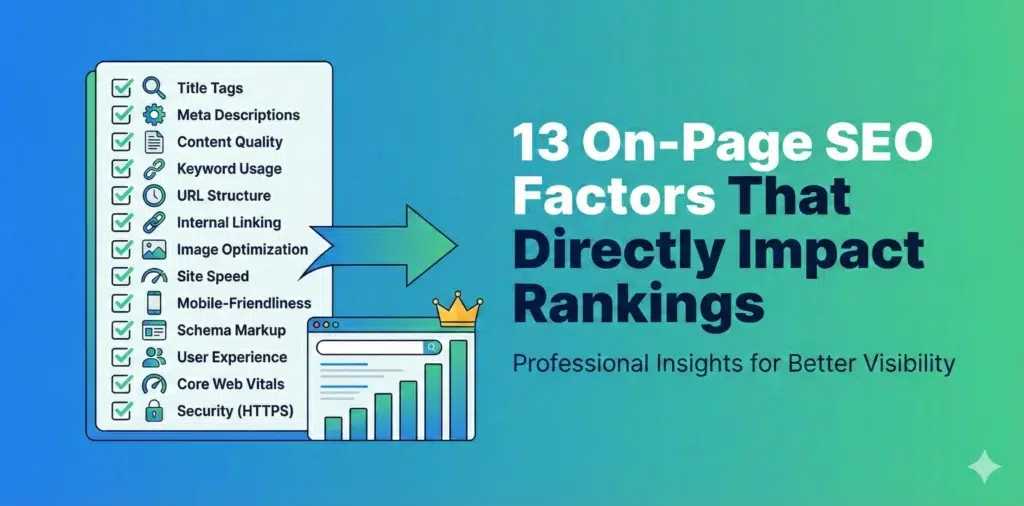
If your website isn’t ranking on Google, there’s a good chance your on-page SEO needs work. I’m going to walk you through the 13 most important on-page factors that actually move the needle in 2025 and beyond.
Let’s skip the fluff and get straight to what works.
How to Improve Your Ranking by Considering the On-Page SEO Factors
On-page SEO is everything you can control directly on your website to help it rank better. Unlike off-page SEO (which is mostly about backlinks and external signals), on-page optimization is completely within your control.
The problem? Most people either overomplicate it or focus on outdated tactics that don’t matter anymore.
Here’s what actually matters right now.
1. Keyword Research and Optimization
You can’t rank for keywords you haven’t targeted. Sounds obvious, but alot of websites fail here.
Start with proper keyword research. Use tools like Google Keyword Planner, Ahrefs, or SEMrush to find keywords that:
- Your target audience actually searches for
- Have decent search volume (at least 100+ monthly searches for smaller sites)
- Match your content capabilities
- Have achievable competition levels
Don’t just go after high-volume keywords. A keyword with 50,000 monthly searches and massive competition is useless if you can’t rank for it. Sometimes a keyword with 500 monthly searches and low competition is way more valuable.
Keyword placement matters:
- Use your primary keyword in the first 100 words of your content
- Include it naturally throughout the content (aim for 1-2% density, but don’t obsess over exact percentages)
- Use variations and related terms – Google understands context now
- Don’t keyword stuff – it looks spammy and Google will penalize you
LSI keywords (Latent Semantic Indexing) are related terms that help Google understand your content better. If your writing about “coffee makers,” LSI keywords might include “brewing,” “espresso,” “French press,” “automatic drip,” etc.
Include these naturally. Don’t force them.
2. Title Tag Optimization
Your title tag is one of the most important on-page SEO factors. It’s what shows up in search results and tells both users and Google what your page is about.
Title tag best practices:
- Keep it under 60 characters (or about 600 pixels) to avoid getting cut off in search results
- Put your primary keyword near the beginning
- Make it compelling enough that people want to click
- Include your brand name at the end if there’s room
- Make each title unique – no duplicate titles across your site
Good example: “How to Make Cold Brew Coffee at Home | Complete Guide”
Bad example: “Coffee | How to Make It | Cold Brew Coffee Tutorial | Best Coffee Brewing Methods”
The second one is keyword-stuffed, too long, and unclear.
Don’t do this:
- Use all caps
- Stuff multiple keywords
- Make it boring or generic
- Ignore it completely (seriously, I’ve seen sites with “Untitled Page” as the title)
Your title tag should match your H1 heading closely, but they don’t have to be identical. The title tag is for search engines and social shares, while the H1 is for users on your page.
3. Meta Descriptions
Meta descriptions don’t directly impact rankings, but they absolutely impact click-through rates – and click-through rate does affect rankings.
Think of your meta description as ad copy. You’ve got about 155-160 characters to convince someone to click your result instead of the nine others on the page.
Meta description guidelines:
- Include your primary keyword (Google bolds matching terms)
- Write a compelling reason to click
- Be specific about what the page offers
- Include a call to action when appropriate
- Stay under 160 characters
Example: “Learn how to make cold brew coffee at home with our step-by-step guide. Includes brewing ratios, timing tips, and common mistakes to avoid.”
That’s clear, includes the keyword, and tells you exactly what you’ll get.
Common mistakes:
- Leaving it blank (Google will create one from your content, but it’s usually bad)
- Making it too short or too long
- Being vague or generic
- Not matching the actual page content
- Duplicating descriptions across multiple pages
Each page needs its own unique meta description.
4. Header Tags (H1, H2, H3, etc.)
Header tags organize your content and help Google understand the structure and hierarchy of your page.
The H1 tag is your main page title. You should only have one H1 per page, and it should include your primary keyword.
H2 tags are your main section headers. These should cover the major topics on your page.
H3 tags are sub-sections under your H2s. H4, H5, and H6 tags create even more detailed hierarchies, but most pages don’t need to go that deep.
Here’s a proper structure:
H1: How to Make Cold Brew Coffee at Home
  H2: What Is Cold Brew Coffee?
  H2: Equipment You Need
    H3: Best Coffee Beans for Cold Brew
    H3: Choosing the Right Container
  H2: Step-by-Step Cold Brew Instructions
    H3: Coffee-to-Water Ratio
    H3: Steeping Time and Temperature
  H2: Common Cold Brew Mistakes
This structure makes sense both to humans reading your content and to Google trying to understand it.
Header tag tips:
- Include keywords naturally in your headers, especially H2s
- Make headers descriptive – avoid vague headers like “Introduction” or “More Information”
- Keep them relatively short
- Use them to break up long sections of text
- Don’t skip levels (don’t go from H2 to H4)
Headers also improve readability. Nobody wants to read a 2000-word wall of text with no breaks.
5. URL Structure
Clean, descriptive URLs rank better than messy ones filled with parameters and random characters.
Good URL: yoursite.com/cold-brew-coffee-guide
Bad URL: yoursite.com/p=12345?cat=beverages&ref=homepage
Your URL should:
- Include your primary keyword
- Be short and readable
- Use hyphens to separate words (not underscores)
- Use lowercase letters
- Avoid special characters, numbers (unless necessary), and parameters
For blog posts, include the post title or a shortened version. For product pages, include the product name. For category pages, include the category.
URL structure for sites with multiple levels:
yoursite.com/category/subcategory/page-nameExample: yoursite.com/recipes/coffee/cold-brew-guide
Keep the structure logical and not too deep. Try to keep important pages within 3 clicks of your homepage.
Important: Once a URL is published and getting traffic, don’t change it unless absolutely necessary. If you do change it, set up a 301 redirect from the old URL to the new one so you don’t lose rankings or create broken links.
Read More: The Ultimate Google My Business Profile Optimization Checklist
6. Image Optimization
Images make your content better, but they can also slow down your site if not optimized properly. They’re also an opportunity for additional rankings through image search.
Image SEO basics:
- Use descriptive file names before uploading (cold-brew-coffee-guide.jpg, not IMG_1234.jpg)
- Add alt text to every image describing what it shows
- Compress images to reduce file size without losing quality
- Use modern formats like WebP when possible
- Include keywords in alt text naturally, but don’t stuff them
Alt text example:
Good: “Cold brew coffee steeping in a glass container with coffee grounds”
Bad: “coffee cold brew make cold brew coffee at home best cold brew”
Alt text serves two purposes:
- It helps visually impaired users understand your images
- It tells Google what the image is about
If an image is purely decorative and adds no information, you can leave the alt text empty (alt=””) so screen readers skip it.
Image file sizes:
- Hero images: under 200KB
- Body images: under 100KB
- Icons and small graphics: under 20KB
Use tools like TinyPNG, ImageOptim, or built-in compression in your CMS to reduce file sizes.
7. Internal Linking
Internal links connect your pages together and help Google discover and understand your content. They also keep visitors on your site longer.
Internal linking strategy:
- Link from high-authority pages to important pages you want to rank
- Use descriptive anchor text that includes keywords
- Link to related content naturally within your text
- Don’t overdo it – 2-5 internal links per 1000 words is reasonable
- Make sure links add value for the reader
Anchor text matters:
Good: “Learn more about choosing the best coffee beans for cold brew”
Bad: “Click here to read more about this topic”
“Click here” tells Google nothing about what the linked page is about. Descriptive anchor text passes relevance signals.
Link structure tips:
- Important pages should have more internal links pointing to them
- Create hub pages that link to related content
- Use your navigation menu wisely
- Add related posts sections at the end of articles
- Fix broken internal links regularly
Internal linking is one of the most underutilized on-page SEO tactics. Most sites do it poorly or not at all.
8. External Links to Authoritative Sources
Linking out to high-quality, relevant sources helps your credibility and can actually improve your rankings.
Google wants to see that your content exists within the broader context of the web. Citing authoritative sources shows you’ve done your research.
When to link externally:
- When citing statistics or data
- When referencing studies or research
- When pointing readers to additional resources
- When mentioning tools, products, or services
- When giving credit for ideas or quotes
What makes a good external link:
- Links to authoritative domains (.edu, .gov, established industry sites)
- Links to current, updated content
- Links that add value for your readers
- Links that are relevant to your topic
What to avoid:
- Linking to low-quality or spammy sites
- Excessive external links (you want people to stay on your site)
- Broken external links
- Links to competitors (unless there’s a good reason)
You don’t need alot of external links – a few high-quality ones per article is plenty.
9. Mobile-Friendliness
Google uses mobile-first indexing, which means it looks at the mobile version of your site first when determining rankings. If your site sucks on mobile, your rankings will suffer.
Mobile optimization requirements:
- Responsive design that adapts to different screen sizes
- Text that’s readable without zooming
- Tap targets (buttons, links) that aren’t too close together
- No horizontal scrolling
- Fast loading on mobile networks
- No intrusive interstitials or popups
Test your site on actual mobile devices – both phones and tablets. Don’t just rely on desktop browser testing.
Common mobile issues:
- Tiny text that requires zooming
- Buttons too small or close together
- Content wider than the screen
- Popups that are hard to close on mobile
- Slow loading times
Use Google’s Mobile-Friendly Test tool to check your pages. It’ll tell you exactly what needs fixing.
Mobile best practices:
- Use larger font sizes (16px minimum for body text)
- Make buttons at least 48×48 pixels
- Space out clickable elements
- Avoid Flash or outdated technologies
- Test forms on mobile – they’re often terrible
Mobile traffic now accounts for more than 60% of web traffic for most sites. Don’t ignore it.
10. Page Speed Optimization
Page speed is a direct ranking factor, and it massively impacts user experience. If your site takes more than 3 seconds to load, your losing visitors and rankings.
What slows down websites:
- Large, uncompressed images
- Too many HTTP requests
- Bloated code and unused CSS/JavaScript
- Lack of caching
- Slow hosting
- Too many plugins or scripts
- Unoptimized videos
How to speed up your site:
- Compress all images before uploading
- Enable browser caching
- Minify CSS, JavaScript, and HTML
- Use a content delivery network (CDN)
- Reduce redirects
- Choose fast hosting (shared hosting is usually slow)
- Limit plugins and third-party scripts
Use Google PageSpeed Insights or GTmetrix to test your site speed. These tools will tell you exactly what’s slowing you down.
Core Web Vitals are Google’s specific metrics for page experience:
- LCP (Largest Contentful Paint): How long it takes for main content to load (should be under 2.5 seconds)
- FID (First Input Delay): How quickly your page responds to interactions (should be under 100ms)
- CLS (Cumulative Layout Shift): How much your page layout shifts during loading (should be under 0.1)
These metrics are ranking factors. Fix them.
Quick wins for faster loading:
- Use lazy loading for images below the fold
- Defer non-critical JavaScript
- Preload critical resources
- Remove unused plugins
- Optimize your database if using WordPress
Page speed is technical, but the basics aren’t that complicated. Start with images – that’s usually the biggest problem.
11. User Experience (UX)
Google measures user experience through behavioral signals like bounce rate, time on site, and pogo-sticking (when someone clicks your result, immediately hits back, and clicks a different result).
If people hate your site, Google notices.
What makes good UX:
- Clear, easy-to-read content
- Logical navigation
- Fast loading times
- No intrusive ads or popups
- Content that matches search intent
- Easy-to-find information
- Mobile-friendly design
- Accessible to users with disabilities
Red flags that hurt UX:
- Auto-playing videos
- Popup ads every 10 seconds
- Walls of text with no formatting
- Confusing navigation
- Broken links or images
- Content that doesn’t match the title
- Difficult-to-read fonts or color schemes
Think about your own behavior online. What makes you immediately leave a site? Fix those things on your site.
Improving engagement metrics:
- Answer the user’s question early in your content
- Use formatting to make content scannable
- Add relevant images, videos, or graphics
- Include a table of contents for long articles
- Remove or minimize ads
- Make your content comprehensive
If someone spends 5 minutes reading your article and clicks multiple internal links, Google sees that as a quality signal. If someone bounces after 10 seconds, that’s a bad signal.
12. Content Length and Quality
There’s debate about whether content length is a ranking factor. The truth? Longer content tends to rank better, but only if it’s actually good content.
Why longer content often ranks better:
- More opportunities to include keywords and related terms naturally
- Better chance of covering a topic comprehensively
- More valuable to users (usually)
- More likely to earn backlinks
- Higher average time on page
But don’t just write long content for the sake of it. A focused 800-word article that perfectly answers a question is better than a rambling 3000-word article full of fluff.
Content quality factors:
- Accurate, up-to-date information
- Original insights or perspectives
- Clear, engaging writing
- Proper grammar and spelling
- Well-organized structure
- Comprehensive coverage of the topic
- Practical, actionable advice
- Credible sources and citations
How long should your content be?
It depends on the topic and search intent:
- Simple how-to guides: 800-1500 words
- Comprehensive guides: 2000-3000 words
- Pillar content: 3000-5000+ words
- Product reviews: 1500-2500 words
- News articles: 500-800 words
Check what’s currently ranking for your target keyword. If all the top results are 2000+ words, your 500-word article probably won’t compete.
E-E-A-T matters (Experience, Expertise, Authoritativeness, Trustworthiness):
- Show real experience with your topic
- Demonstrate expertise through detailed knowledge
- Build authority through credentials and citations
- Earn trust through accuracy and transparency
For YMYL (Your Money Your Life) topics like health, finance, or legal advice, E-E-A-T is critical. Google holds these pages to higher standards because bad information could harm people.
Content freshness:
Google prefers fresh, updated content for many queries. Update your content regularly:
- Add new information as your industry changes
- Update statistics and data
- Remove outdated information
- Add new examples or case studies
- Refresh images and screenshots
Add a “Last updated” date to show your content is current.
Read More: How to find a Good SEO Consultant
13. Social Sharing Integration
Social signals aren’t a direct ranking factor, but social shares lead to more visibility, more traffic, and potentially more backlinks – all of which do impact rankings.
Make it easy for people to share your content.
Social sharing best practices:
- Add social sharing buttons to your content (but don’t make them intrusive)
- Include click-to-tweet quotes for key insights
- Create shareable images with quotes or statistics
- Write compelling headlines that people want to share
- Add Open Graph tags for better social previews
Open Graph tags control how your content looks when shared on social media:
html
<meta property="og:title" content="Your Page Title">
<meta property="og:description" content="Your page description">
<meta property="og:image" content="URL to your image">
<meta property="og:url" content="Your page URL">
Without these tags, social platforms will just grab whatever they find, and it usually looks bad.
Twitter Card tags do the same for Twitter:
html
<meta name="twitter:card" content="summary_large_image">
<meta name="twitter:title" content="Your Page Title">
<meta name="twitter:description" content="Your description">
<meta name="twitter:image" content="URL to your image">
Test your social previews using Facebook’s Sharing Debugger and Twitter’s Card Validator before publishing.
Create shareable content:
- Original research or data
- Controversial or unique perspectives
- Comprehensive guides
- Visual content (infographics, charts, videos)
- Lists and how-to articles
- Case studies with real results
The more people share your content, the more exposure it gets, and the more likely it is to earn natural backlinks.
Understanding On-Page vs Off-Page SEO
Before we wrap up, it’s worth clarifying the difference between on-page and off-page SEO.
On-page SEO is everything on your actual website:
- Content quality and optimization
- HTML tags (title, meta, headers)
- Site structure and navigation
- Internal linking
- Page speed and technical factors
- User experience
- Mobile-friendliness
You have complete control over on-page factors.
Off-page SEO is everything outside your website:
- Backlinks from other sites
- Social media signals
- Brand mentions
- Online reviews
- Guest posts and content on other sites
- Local citations (for local businesses)
Off-page SEO is harder to control because it depends on other people and websites.
Both matter, but you should master on-page SEO first. It’s pointless to build backlinks to a page that isn’t properly optimized.
Conclusion
On-page SEO isn’t rocket science, but it does require attention to detail and consistent effort.
The 13 factors we covered are the ones that actually move rankings in 2025:
- Keyword research and optimization – Target the right keywords and use them naturally
- Title tags – Make them compelling and keyword-rich
- Meta descriptions – Write them like ad copy
- Header tags – Structure your content logically
- URL structure – Keep URLs clean and descriptive
- Image optimization – Compress images and add descriptive alt text
- Internal linking – Connect your content strategically
- External links – Link to authoritative sources
- Mobile-friendliness – Make sure your site works perfectly on phones
- Page speed – Fast sites rank better and convert better
- User experience – If people hate your site, Google will notice
- Content quality and length – Write comprehensive, valuable content
- Social sharing – Make it easy for people to share your content
Start with the basics – get your title tags, headers, and content right. Then work on the technical stuff like page speed and mobile optimization. Finally, focus on creating content that people actually want to read and share.
Most websites get maybe 3 or 4 of these factors right. If you nail all 13, you’ll be ahead of 90% of your competition.
The key is consistency. Optimize every new page you publish. Review and update older pages regularly. Monitor your rankings and adjust your strategy based on what’s working.
On-page SEO is a marathon, not a sprint. But if you put in the work, the results will come.