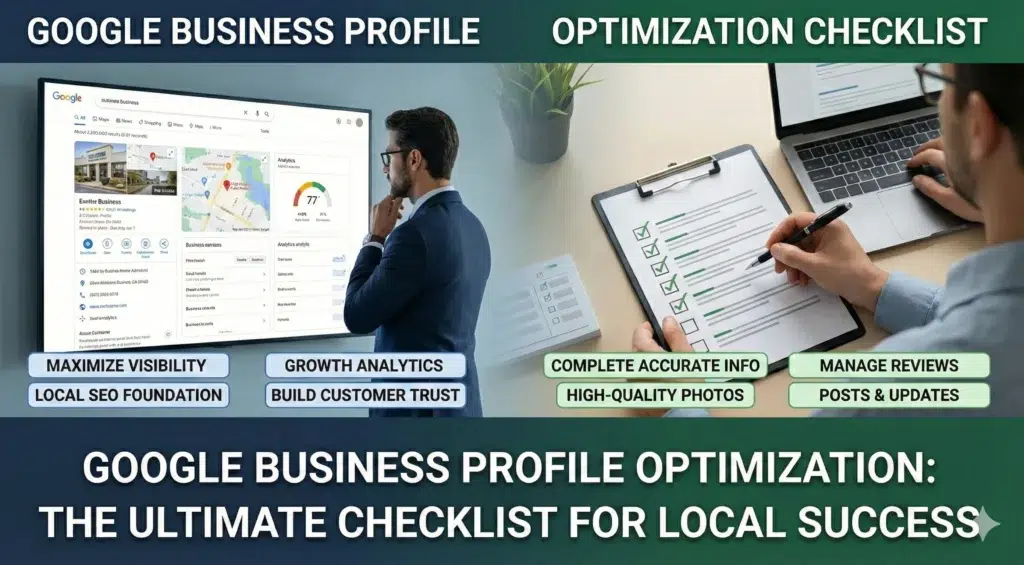
If your local business isn’t showing up when people search for services in your area, there’s a good chance your Google Business Profile needs some serious attention. I’ve spent years helping businesses fix this exact problem, and I’m going to walk you through everything that actually matters.
Let’s be real here – most guides overcomplicate this stuff. You don’t need a PhD to get your business showing up on Google Maps. You just need to understand what Google cares about and give it to them consistently.
Why Your Google Business Profile Matters More Than You Think
Your Google Business Profile (or GBP – yeah, it used to be called Google My Business, or GMB) is probably the single most important online listing your business has. Period.
Think about it this way: when someone searches “plumber near me” or “best pizza in Phoenix,” what shows up first? Those map listings at the top of the page. That’s your GBP in action. And if your not in that top three? Your basically invisible to alot of potential customers.
According to research, businesses with photos on their profile get 42% more requests for driving directions and 35% more clicks to their websites. Those aren’t small numbers – that’s real customers finding your business instead of your competitors.
The Three Things Google Actually Cares About
Google uses three main factors to determine who shows up in local search results. Understanding these is critical if you want to rank higher.
Relevance – How well does your business match what someone’s searching for? If your a dentist and someone searches for “emergency tooth pain,” Google needs to understand that your relevant. This comes down to your business categories, services listed, and how complete your profile is.
Distance – How close is your business to the person searching? This ones pretty straight forward. Someone searching from downtown Phoenix is going to see different results than someone searching from Scottsdale. You can’t really control this one, but you can make sure your address is accurate.
Prominence – How well-known is your business? Google looks at your reviews, how many people search for your business by name, your website authority, and even how your mentioned across the web. This is where reviews and consistent information becomes super important.
Setting Up Your Profile The Right Way
Most people rush through the setup process and wonder why they’re not getting results. Don’t be that person. Take the time to do this properly from the start.
Claiming and Verifying Your Business
First things first – you need to claim your listing. Go to google.com/business and search for your business. If it already exists, claim it. If not, create a new listing.
Google will make you verify your business, usually by sending a postcard to your address with a verification code. This usually takes about 14 days, so be patient. Don’t make any changes to your listing while your waiting for that postcard – it can mess up the verification process.
Some businesses get other verification options like phone or email, but most get the postcard. Just deal with it.
Your Business Name (Don’t Mess This Up)
Use your actual business name. That’s it. Don’t add keywords, don’t add your city, don’t add “best” or “affordable” or any of that spam nonsense.
I see this mistake all the time: “Joe’s Plumbing – Emergency Repairs Phoenix AZ 24/7”
That’s wrong. And it can get your listing suspended. Just use “Joe’s Plumbing” if that’s your real business name.
Your competitors might be doing this keyword stuffing thing and ranking higher because of it. You can report them by suggesting an edit to their listing. Google will eventually catch them anyway and suspend their profile, so your better off playing by the rules from the start.
Address and Service Areas
If customers come to your physical location (like a restaurant or retail store), enter your street address. Make sure it matches exactly what’s on your website and everywhere else online.
If you go to customers locations (like a plumber or house cleaner), you have two options:
- List your business address and add service areas
- Hide your address and only show service areas
There’s debate about which works better. From what I’ve seen, businesses that show there address tend to get more visibility in Maps, even if they’re service area businesses. But hiding your address is also totally legit if you don’t want customers showing up unannounced.
For service areas, you can add up to 20 cities or zip codes. Don’t go crazy and add areas you don’t actually serve – Google won’t rank you well outside about a 20 mile radius anyway.
Business Categories (This Is Critical)
Your primary category is one of the biggest ranking factors. Choose the category that most accurately describes what you do.
For a plumber, that’s “Plumber” – not “Plumbing supply store” or “Heating contractor” as your primary. Those can be secondary categories.
You can add multiple secondary categories, and you should. Just make sure they all actually apply to your business. Don’t add “Electrician” if you don’t do electrical work.
Google has over 4,000 categories to choose from. Take your time and pick the right ones.
Business Description
You get 750 characters to describe your business, but only the first 244 show up unless someone clicks “more.” So front-load the important stuff.
Write naturally about what you do, who you serve, and what makes you different. Don’t keyword stuff. Don’t use ALL CAPS. Don’t put your website URL in here.
Good example: “We’re a family-owned plumbing company serving Phoenix and surrounding areas since 2010. We handle everything from routine repairs to emergency calls, commercial work, and new construction plumbing. Our technicians are licensed, background-checked, and trained to treat your home with respect.”
Bad example: “BEST PLUMBER PHOENIX!!! Emergency plumbing, drain cleaning, water heaters, sewer repair, commercial plumbing, residential plumbing, licensed plumber, cheap plumber near me www.bestplumberphoenix.com“
See the difference?
Phone Numbers (Local Matters)
Always use your local phone number with your area code. Never use a toll-free 800 number as your primary number on your GBP listing.
If you use call tracking numbers (which alot of businesses do), put that in the primary phone field and add your actual local number as an additional phone number. Google needs to be able to match your phone number to your location.
Make sure someone actually answers when that phone rings. An unanswered phone is a lost customer.
Business Hours and Updates
Enter your regular hours accurately. This seems obvious but you’d be surprised how many businesses have wrong hours listed.
Also add special hours for holidays. Nothing frustrates a customer more than driving to your business on Thanksgiving because your profile said you were open.
Check your hours every few months. Things change – maybe you extended your hours in summer, maybe you added Sunday hours. Keep it current.
Photos That Actually Help Your Business
Photos are huge for conversions. Businesses with photos get way more engagement than those without.
Here’s what you need at minimum:
- Logo (make it square)
- Cover photo (this should be your best, most representative image)
- 3+ exterior photos showing your storefront from different angles
- 3+ interior photos if customers visit your location
- 3+ photos of your team
- 3+ photos showing your work or products
Use good quality photos. Not blurry phone pics from 2015. If you can’t take good photos yourself, hire someone. Your photos are often the first impression potential customers get.
Upload new photos regularly – like every week or two. This signals to Google that your an active business and it helps you stay visible.
The Cover Photo Problem
You can’t actually control which photo Google shows as your main cover photo. Google’s algorithm decides based on user engagement and other factors. But you can influence it by marking your preferred photo as the cover photo and making sure it’s compelling enough that people interact with it.
Dealing With Customer Photos
Customers can upload photos to your listing and you can’t remove them unless they violate Google’s policies. If someone uploads an unflattering photo, you can flag it, but Google probably won’t remove it unless it’s actually inappropriate.
Your best defense? Upload so many good photos that the bad ones get buried.
Services, Products, and Menus
Depending on your business type, you’ll have different options here.
Services (for service businesses like plumbers, lawyers, dentists): Create sections for different service categories, then list specific services under each. Add descriptions and prices when possible. Use clear language that matches what customers actually search for.
Products (for retail businesses): Create collections for product categories and list individual products. Include prices and detailed descriptions. Don’t try to list every single product – focus on your best sellers and most important categories.
Menu (for restaurants): Add your full menu with sections, items, prices, and descriptions. Keep it updated when you change your menu.
Fill these out completely. The new AI search features in Google might be pulling from this information, so the more detail you provide, the better.
Reviews: The Trust Factor
Reviews are absolutely critical. They influence both your ranking and whether people choose to contact you.
Getting More Reviews
The simplest way to get reviews? Ask for them.
When a customer has a good experience, send them a follow-up email with a direct link to leave a review. You can create a short link to your review page using your GBP short name feature.
The link format is: https://g.page/yourshortname/review
Make it as easy as possible. The fewer clicks required, the more reviews you’ll get.
Some businesses use review software that automates this process. BrightLocal and Podium are two popular options that can send automatic review requests after a job is completed.
Responding to Reviews
Reply to every single review. Yes, even the good ones.
For positive reviews, a simple “Thanks for the kind words! We appreciate your business” works fine. Personalize it a bit when you can.
For negative reviews, stay calm and professional. Never get defensive. Acknowledge their frustration, apologize if appropriate, and offer to make it right. Even if the reviewer is being unreasonable, everyone else reading your response will see how you handle problems.
Example response to a negative review: “I’m sorry you had this experience and it doesn’t reflect our usual standard of service. I’d like to discuss this with you directly to see how we can make this right. Please call me at [number] or email [email]. – [Owner Name]”
Removing Fake Reviews
Fake reviews are a real problem. If you get a review that clearly violates Google’s review policy, you can report it.
First flag it within your GBP dashboard. Then prepare documentation showing why it should be removed – like proof the person was never a customer, or evidence they’re a competitor.
Contact Google support through the help community and provide all your evidence. Be persistent. Sometimes it takes multiple attempts to get fake reviews removed.
Important: Google won’t remove a review just because you don’t like it or can’t identify the customer. It has to actually violate their policies.
Google Posts (Stay Active)
Google Posts let you share updates, offers, events, and news directly on your profile. They used to expire after 7 days but now they stay up indefinitely.
Post at least once a week. Share things like:
- Special offers or promotions
- New services or products
- Company news or achievements
- Tips related to your industry
- Event announcements
- Holiday hours changes
Posts don’t directly impact rankings, but they show Google (and customers) that your actively managing your business. Plus they take up more real estate on your listing, pushing competitors further down.
Questions & Answers Section
The Q&A section on your profile lets anyone ask questions about your business. You should be proactively answering common questions before customers ask them.
Add questions like:
- “Do you offer emergency services?”
- “What payment methods do you accept?”
- “Do you offer free estimates?”
- “What areas do you serve?”
Then answer them clearly and completely. This removes objections and saves you time answering the same questions over and over.
Check this section weekly for new questions and respond quickly.
Advanced Settings and Features
Store Codes and Labels
If you have multiple locations, use store codes to keep everything organized. Each location needs a unique code (no spaces or special characters).
Labels help you group locations – maybe by region, store type, or franchise vs corporate. You can use these in your Google Ads campaigns too.
Short Name
Create a short name for your business to make sharing easier. This gives you a clean link like g.page/yourname instead of a long complicated URL.
Not all business categories have access to this feature, but if you do, use it. It makes your review link cleaner and easier to share.
Attributes
Business attributes are specific features of your business like “wheelchair accessible,” “outdoor seating,” “women-owned,” etc.
Select all that apply. Don’t spam these – Google sometimes verifies them by asking users, and if people say you don’t have something you claimed, it looks bad.
Booking and Messaging Features
Some business types can enable direct booking through their GBP. If this is available for your category and you use a compatible booking system, turn it on.
Note: Google removed the messaging and call history features in July 2024, so ignore old guides that mention those.
The Weekly Maintenance Routine
Set aside 30 minutes every week for GBP maintenance:
Monday:
- Check for any unwanted edits to your profile and fix them
- Reply to new reviews from the past week
- Upload 2-5 new photos
Wednesday:
- Create and publish a post about something happening this week
- Check the Q&A section and answer any new questions
Friday:
- Review your insights to see what’s working
- Note any competitor changes you should be aware of
This consistent maintenance makes a huge difference over time.
Monthly Deep Dive
Once a month, do a more thorough review:
- Review all your categories and services – add new ones, remove outdated ones
- Compare your profile to your top 3 competitors – what are they doing better?
- Update seasonal photos
- Check that your website landing page matches your primary category
- Review your insights for trends
- Verify your business information is still accurate everywhere
Tracking Your Results
You need to know if your efforts are working. Download your performance report monthly from your GBP dashboard.
Look at:
- Total views (searches where your listing appeared)
- Search queries (what people searched to find you)
- Actions taken (calls, direction requests, website clicks)
- Photo views
- Direction requests vs. calls ratio
Add UTM parameters to your website URL so you can track GBP traffic in Google Analytics:
This lets you see exactly how much traffic and conversions come from your GBP listing.
Read More: SEO VS Paid Ads
Common Mistakes That Kill Your Rankings
Keyword stuffing your business name – We covered this already but it’s worth repeating. Don’t do it. Your risking suspension for a temporary boost.
Inconsistent NAP – Your Name, Address, and Phone number must match exactly across your website, GBP, and all other directories. Even small differences (like “Street” vs “St”) can hurt you.
Wrong categories – Don’t claim categories you don’t actually belong in. If your a plumber, don’t add “General Contractor” just to show up for more searches.
Ignoring reviews – Unanswered reviews signal that you don’t care about customer feedback. Reply to everything.
Stale photos – If your last photo upload was 8 months ago, Google thinks your not actively managing your business.
Incomplete profile – Fill out every single field available. Empty sections hurt your visibility.
Dealing With Competitors Who Cheat
You’ll probably notice competitors with keyword-stuffed names, fake reviews, or suspicious multiple listings. It’s frustrating.
You can report clear violations by suggesting edits to their listings or using Google’s spam report form. Just make sure you have evidence – don’t report businesses just because their ranking higher than you.
The better approach? Focus on making your own profile so good that their spam tactics don’t matter. Better photos, more reviews, better service descriptions, more frequent posts. Win with quality.
What About AI and Search Generative Experience?
Google is rolling out AI-powered search results that appear above the traditional map pack. These “AI Answers” pull information from business profiles to answer local searches.
This makes your profile information even more important. Make sure:
- Your business description is clear and detailed
- Your services are completely filled out
- Your photos are high quality and relevant
- Your reviews are recent and positive
No one knows exactly how Google’s AI selects which businesses to feature, but having a complete, accurate, and actively maintained profile definitely helps.
The Bottom Line
Google Business Profile optimization isn’t complicated, but it does require consistency. Most businesses set up their profile once and forget about it. Don’t be most businesses.
Follow this checklist, maintain your profile weekly, and track your results. Within a few months you should see more views, more calls, and more customers finding you through Google.
The businesses that win in local search aren’t always the biggest or the best. Their just the ones who show up when people are looking. Make sure that’s you.
Quick Checklist Summary:
☐ Claim and verify your listing
☐ Use your real business name (no keywords)
☐ Enter accurate address and service areas
☐ Choose the right primary category
☐ Add 5-10 relevant secondary categories
☐ Write a clear 750-character description
☐ Use local phone numbers
☐ Set accurate business hours (including holidays)
☐ Upload logo and cover photo
☐ Add 10+ high-quality photos
☐ Fill out services/products/menu completely
☐ Select all relevant attributes
☐ Create your short name
☐ Add 10+ pre-populated Q&A items
☐ Post weekly updates
☐ Reply to all reviews within 48 hours
☐ Add UTM tracking to your website URL
☐ Check profile weekly for edits or issues
☐ Upload fresh photos weekly
☐ Review insights monthly